

What happens to your data if your CRM vendor shuts down depends on how the vendor goes. An orderly sunset usually gives you weeks to export. A bankruptcy or sudden collapse can lock you out while your records sit in a stranger's hands. Owning the data on paper doesn't help if you can't reach it, so the real question is access, not ownership.
TL;DR:
- Four scenarios exist (orderly sunset, acquisition, bankruptcy, sudden outage), and your window to get data out runs from months to zero.
- Legally the data is yours. Practically, you only have what you can still log in and download.
- Contracts commonly give you 30 to 90 days after termination, but you have to read yours. The vendor's own deletion schedule may be shorter.
- A CSV export drops activity history, attachments, call recordings, record IDs and relationships. Pull those too.
- The only way to remove vendor-shutdown risk is to hold the database yourself, on a server you control.
Table of Contents
- What Happens to Your CRM Data When a Vendor Shuts Down, by Scenario
- Who Owns Your CRM Data, and Why Owning It Isn't Enough
- How Long Companies Keep Your Data After a CRM Shutdown
- What the Consequences of CRM Data Loss Actually Look Like
- What a CSV Export Misses, and What to Pull Before the Switch Goes Off
- How to Recover From CRM Data Loss, Step by Step
- Shutdown-Proofing a CRM Before There's a Shutdown to Survive
- Get a CRM Whose Data Lives on Your Server, Not Ours
- Frequently Asked Questions
- Sources
What Happens to Your CRM Data When a Vendor Shuts Down, by Scenario
Not all shutdowns are equal. Your data's fate depends on which of these four you get.
| Scenario | What happens to your data | Typical window | Your best move |
|---|---|---|---|
| Orderly sunset | Vendor announces an end date, keeps export tools running, then deletes | Weeks to months | Export everything the day you hear |
| Acquisition | Buyer migrates you, changes terms, or retires the product | Often 6-12 months, sometimes less | Read the new terms, then export anyway |
| Bankruptcy or liquidation | Data becomes part of a legal process; servers may be switched off for unpaid hosting bills | Unpredictable, can be days | Export now; don't wait for notice |
| Sudden outage or account suspension | Logins fail, API stops, support goes quiet | Zero | Restore from your own backup |
The first two are the common ones. The last two are the ones that hurt.
Here is my view: treat every vendor announcement as the start of the clock, and every silence as the same thing. If your CRM's blog goes quiet and support tickets stop getting answered, don't wait for the email.
Who Owns Your CRM Data, and Why Owning It Isn't Enough
You own your customer records in almost every vendor contract. The vendor holds a license to process them. That part is simple.
The hard part is that ownership gives you no login. If the servers go dark, a clause saying "Customer retains all rights" does nothing for you.
Privacy law helps less than people assume. Under the GDPR, your CRM vendor is typically a processor, and Article 28(3)(g) of the regulation requires that, at your choice, it deletes or returns personal data when the services end. That is a duty to return, written into your data processing agreement. It is not a self-serve download button. The GDPR's Article 20 portability right belongs to the individual people in your database, not to you as the business customer.
The EU's Data Act adds a more direct tool. Regulation (EU) 2023/2854 has applied since September 12, 2025, and sets switching rules for cloud and data processing services, including a maximum two-month notice period and a 30-day transition window. It matters if you or your vendor operate in the EU. It does not help if the vendor is already insolvent.
In the US, bankruptcy changes the picture. Section 363(b)(1) of the Bankruptcy Code adds a check when a company's privacy policy promised not to transfer personal information. A sale then generally needs review by a consumer privacy ombudsman. Whether your customer list counts as the vendor's asset or yours is murky, and it turns on your contract. You don't want to learn that in court.
Two months' notice and 30 days of transition: that is the most the EU Data Act's switching rules guarantee you when a provider is still operating. If it isn't, you get nothing.
How Long Companies Keep Your Data After a CRM Shutdown

There is no universal number. It depends on three things.
- Your contract. Many SaaS agreements set a post-termination retention period, commonly somewhere between 30 and 90 days, after which they delete the data. Find the clause titled something like "Return and Deletion of Customer Data."
- Legal holds and bankruptcy. If a vendor enters insolvency, a trustee may preserve its systems and records for far longer than your contract says. That doesn't mean you can get at them.
- Backups. Deleted data often lingers in backups for weeks after it disappears from the live system. Don't count on this. It is a leftover, not a service.
The GDPR points the other direction for the vendor: it can't keep your customers' personal data forever "just in case." Unless a law requires retention, a processor should delete or return it when the service ends. If you want to know whether that happened, ask for written confirmation of deletion.
What the Consequences of CRM Data Loss Actually Look Like

People picture lost contacts. The real damage is wider.
- Lost context. You still have a name and an email, but not the three-year thread, the quote that was promised, or the note saying this client hates phone calls.
- Stalled revenue. Open deals vanish from your pipeline. Renewals you'd have caught slip by.
- Broken workflows. Booking links, form handlers, and email automations that point at the old system fail without warning.
- Legal exposure. Under the GDPR, a "personal data breach" includes accidental loss or destruction of personal data. That is Article 4(12). If the loss is likely to put people at risk, you generally must notify your supervisory authority within 72 hours of becoming aware.
- Lost trust. Customers who ask what you know about them, or what you did with it, expect an answer. "My vendor went under" is true and useless.
72 hours. Under GDPR Article 33, that is the notification deadline after you become aware of a reportable breach, and accidental loss of customer data can qualify.
What a CSV Export Misses, and What to Pull Before the Switch Goes Off
The obvious advice is "export your data to CSV." It is not wrong. It is just far from enough.
A flat file captures rows. It does not capture how those rows relate to each other, or what happened to them.
What a standard export usually drops
- Activity history. Emails, call logs, chat transcripts and notes often sit in a separate export, or have none.
- Attachments and recordings. Contracts, PDFs and call audio are typically stored as links that die with the vendor.
- Record IDs and relationships. Which contact belongs to which company and which deal. Without IDs, a re-import can't rebuild those links.
- Custom fields and pipeline stages. The labels that made your process yours.
- Consent and opt-out records. If you lose these, you may email people who unsubscribed. That is a compliance problem, not an inconvenience.
Pro Tip: Keep the vendor's original record IDs as a column in whatever system you move to, even if you never expect to use them. Invoices, support tickets, and old email threads often reference those IDs. Months after the move, they are the only way to tie an orphaned document back to the right customer.
The restore test most people skip
An export you've never imported is a guess. Load it into a blank system once. Count the records. Open ten at random. If the count or the content is off, you've found it while you still have time to fix it.
How to Recover From CRM Data Loss, Step by Step
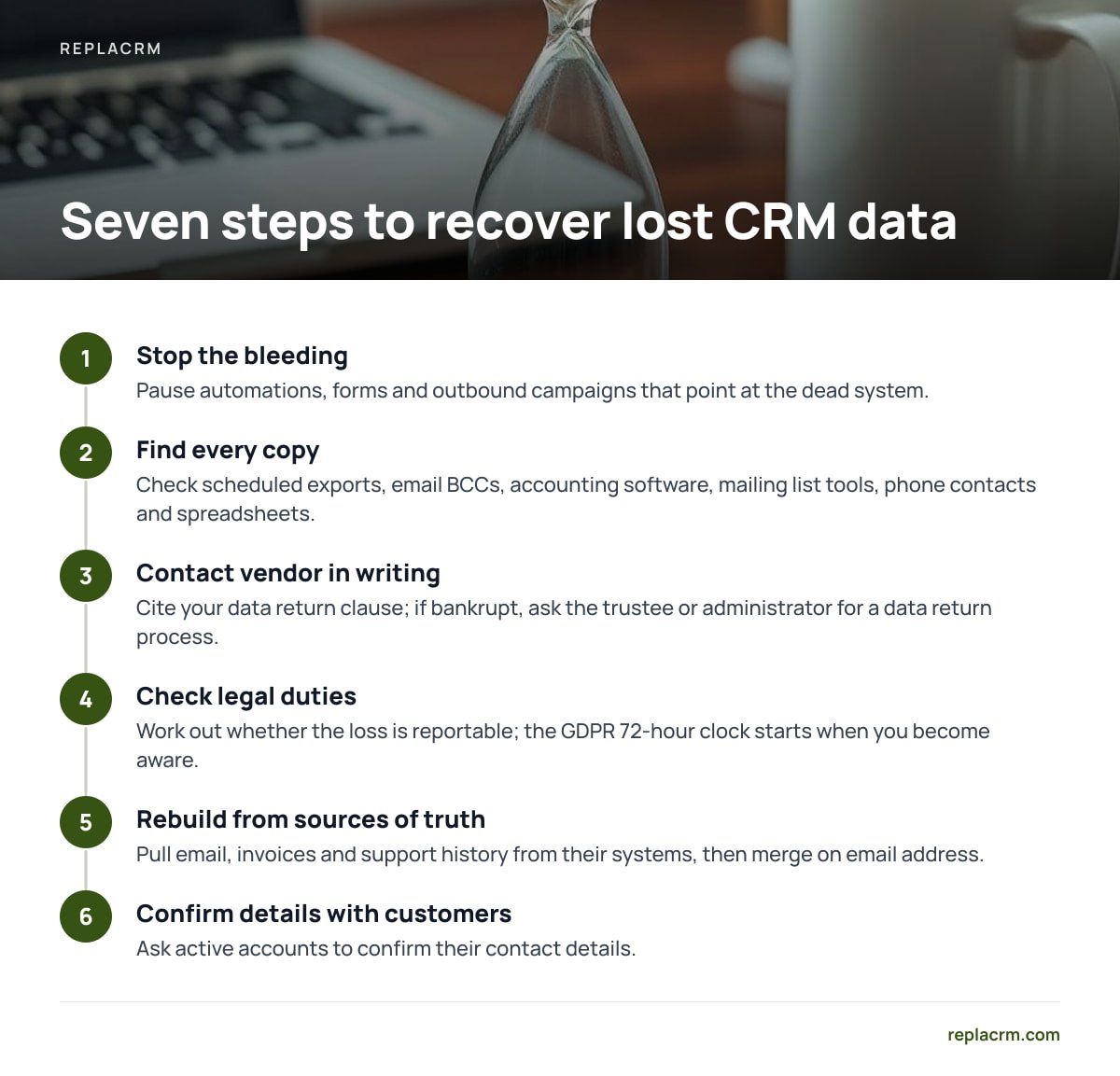
If the data is already gone or the vendor is unreachable, work this list in order.
- Stop the bleeding. Pause automations, forms and outbound campaigns that point at the dead system. Sending half-broken email is worse than sending none.
- Find every copy. Look for scheduled exports, email BCCs, accounting software, mailing list tools, phone contacts, and spreadsheet "just in case" files. Your team has more copies than you think.
- Contact the vendor or its administrator in writing. Cite your data return clause. If there's a bankruptcy, find the trustee or administrator and ask for a data return process in writing.
- Check your legal duties. If personal data was lost, work out whether it's reportable. The 72-hour clock in the GDPR starts when you become aware, not when you finish investigating.
- Rebuild from the sources of truth. Pull email history from your mail server, invoices from accounting, support history from your help desk. Merge on email address.
- Tell customers what you need. Ask active accounts to confirm contact details. It's awkward. It also works.
- Move to a setup you control and take a backup the same day.
Recovery usually gets you most of the way, rarely all of it. Notes and deal context are the hardest to rebuild, because they existed only in the CRM.
Shutdown-Proofing a CRM Before There's a Shutdown to Survive

I'd pick one of two paths, and I'd pick the second.
Path one: stay on SaaS and export on a schedule. Run a full export monthly, including activity and attachments. Store it somewhere the vendor can't touch. Test a restore twice a year. It works, but it relies on discipline, and the export tool can be removed the day you need it.
Path two: hold the database yourself. If the data sits on a server you control, a vendor shutdown becomes a software problem, not a data problem. The records, the history and the attachments are already in your hands. Backups are still your job, but backups of your own database are far easier than negotiating with an administrator.
Self-hosting isn't free of work. If you're weighing it, what free open source covers and doesn't is a fair look at the trade, and the real monthly cost of hosting a CRM on a VPS shows the numbers. If you run several brands, how to keep each brand's customers separate matters before you move anything.
Get a CRM Whose Data Lives on Your Server, Not Ours
The problem in this article is simple. Your customer records sit on someone else's servers, so someone else's failure becomes yours. Replacrm removes that dependency. It is a self-hosted CRM you run on your own server. Chats, tickets, forms, email and calls land on one customer record, kept separate for each brand under a single login. Your database, your backups, your schedule. The license is a one-time payment starting at $1,495, with no per-user fees. If you want the full math, see what buying a CRM once really costs.
There is a limit. Self-hosting moves the risk instead of erasing it. You are responsible for the server, the backups and the updates, and if we ever stopped shipping updates, your copy would keep running but wouldn't improve. Read the license terms before you buy, and test a backup restore in your first week.
Frequently Asked Questions
What happens to my data if my CRM vendor shuts down?
It depends on whether the shutdown is orderly or abrupt. In an orderly sunset you typically get weeks or months to export, while in a bankruptcy or sudden outage you may get no warning and no access. Export your full data, including history and attachments, as soon as you hear of trouble.
How long do companies keep my data after a CRM shutdown?
It varies by contract, and many agreements set a retention window of roughly 30 to 90 days after termination. Backups may hold deleted data a little longer, and an insolvency process can preserve records for much longer, but you shouldn't count on being able to access them. Check your deletion clause and ask for written confirmation when it's done.
What are the consequences of data loss for a business?
You lose customer context, open deals and automated workflows, and you may miss renewals. If the lost data includes personal data of people in the EU, the GDPR treats accidental loss as a personal data breach that may need to be reported within 72 hours. Customer trust is the slowest thing to rebuild.
What steps can an organization take to recover from data loss?
Pause automations, locate every copy you hold elsewhere, and contact the vendor or its administrator in writing, citing your data return clause. Then rebuild from email, accounting and support systems, and check whether you must notify a regulator. Finish by moving to a system you control and taking a backup the same day.
Is a CSV export enough to protect my CRM data?
No. A CSV usually drops activity history, attachments, call recordings, record IDs, relationships between records and consent flags. Export those separately, and test the file by importing it into a blank system.
Sources
- Regulation (EU) 2016/679 (General Data Protection Regulation) | EUR-Lex, European Union
- Regulation (EU) 2023/2854 (Data Act) | EUR-Lex, European Union
- 11 U.S. Code § 363 – Use, sale, or lease of property | Legal Information Institute, Cornell Law School
Leave a Reply