
The safest remote access to a self-hosted CRM is a private network layer, usually a WireGuard VPN or an identity-aware tunnel, with multi-factor login on top of the CRM itself. Most small businesses start by putting the staff login on the open internet, and attackers probe that setup constantly. Keep customer-facing pages like booking and forms public. Put everything your team uses behind the tunnel.
TL;DR:
- Split your CRM into a public surface (booking pages, forms, chat widget) and a private surface (staff login, admin, API). Only the private surface needs a VPN or tunnel.
- For a team under about 25 people, a WireGuard VPN with each peer limited to one host and one port is the cheapest setup that holds up.
- IP allowlists fail for traveling staff because hotel, airport and mobile carrier addresses change constantly.
- Add MFA at the CRM login even behind a VPN, so one stolen laptop key does not give full access to customer data.
- Offboarding is where remote access usually fails. Revoke the VPN key the same hour the person leaves.
Table of Contents
- Remote Access to a Self-Hosted CRM: Four Ways In, Ranked
- Why Your Booking Pages Change the Answer
- Setting Up a WireGuard VPN for a Small Team
- When a VPN Is the Wrong Pick, and What to Use Instead
- Locking the Login Itself: MFA, Sessions and Certificates
- What Breaks on the Road: Hotel Wi-Fi, Phones and Calls
- Offboarding, Logging and Patching: The Upkeep That Keeps It Safe
- Get a Self-Hosted CRM Your Whole Team Can Reach Safely
- Frequently Asked Questions
- Sources
Remote Access to a Self-Hosted CRM: Four Ways In, Ranked
Your CRM runs on a server you control, which means nobody else is building the front door. You have four realistic options, and they differ mostly in how much of your server a stranger can see. If you need a refresher on what you own when you self-host, the main guide to self-hosted CRM covers it. Here the question is how your people get in from the road.
| Method | Setup effort | What the internet can see | Best for | Weak spot |
|---|---|---|---|---|
| Public HTTPS login with MFA | Low | The login page and every bug behind it | Teams with no one to run a VPN | Every unpatched flaw is reachable by anyone |
| IP allowlist | Low | Nothing, to non-listed addresses | Office-only staff | Breaks the moment someone travels |
| WireGuard VPN | Medium | One UDP port on the VPN host | Teams of 2 to 25 with a technical owner | You manage keys per device |
| Identity-aware tunnel or proxy | Medium to high | Nothing inbound on your server | Contractors, larger teams, mixed devices | Depends on an external identity provider |
My pick for most small-business owners is the WireGuard VPN. It costs nothing in licensing, runs on the server you already have, and can be explained to staff in one sentence: turn it on, then open the CRM. The public login with MFA is acceptable only as a stopgap, and I would set a date to replace it.
NIST's telework guidance, SP 800-46 Rev. 2 covers two problems: securing the remote access service and securing the devices that connect to it. A VPN solves only the first. Keep that in mind through the rest of this piece.
Why Your Booking Pages Change the Answer
The usual advice is "put the whole CRM behind a VPN." For a self-hosted CRM that also takes bookings, form submissions and chat messages from customers, that advice is wrong. Customers cannot install your VPN.
So you split the system into two surfaces:
- Public surface. Booking pages, contact forms, the chat widget endpoint and any e-signing links you send out. These must answer requests from anyone, so keep them minimal and patched.
- Private surface. The staff login, admin settings, the sales board, the unified inbox, exports and the API. None of these has a reason to be reachable by strangers.
How you split depends on your reverse proxy. The simplest version uses two hostnames: book.yourbrand.com is public and routes only to the customer-facing paths, while crm.yourbrand.com resolves only inside the VPN. If your CRM runs several brands from one install, repeat the public hostname per brand and keep a single private one for staff. A phishing email that links to your staff login then leads nowhere for outsiders.
If your software cannot serve the public paths separately from the admin paths, put a reverse proxy in front that blocks everything except those paths for non-VPN traffic. A few lines of proxy configuration do this.
Setting Up a WireGuard VPN for a Small Team
WireGuard is a VPN protocol built into the Linux kernel since version 5.6. It uses a public/private key pair per device and no usernames or passwords, which removes the most common way VPNs get broken into.
The setup, in order:
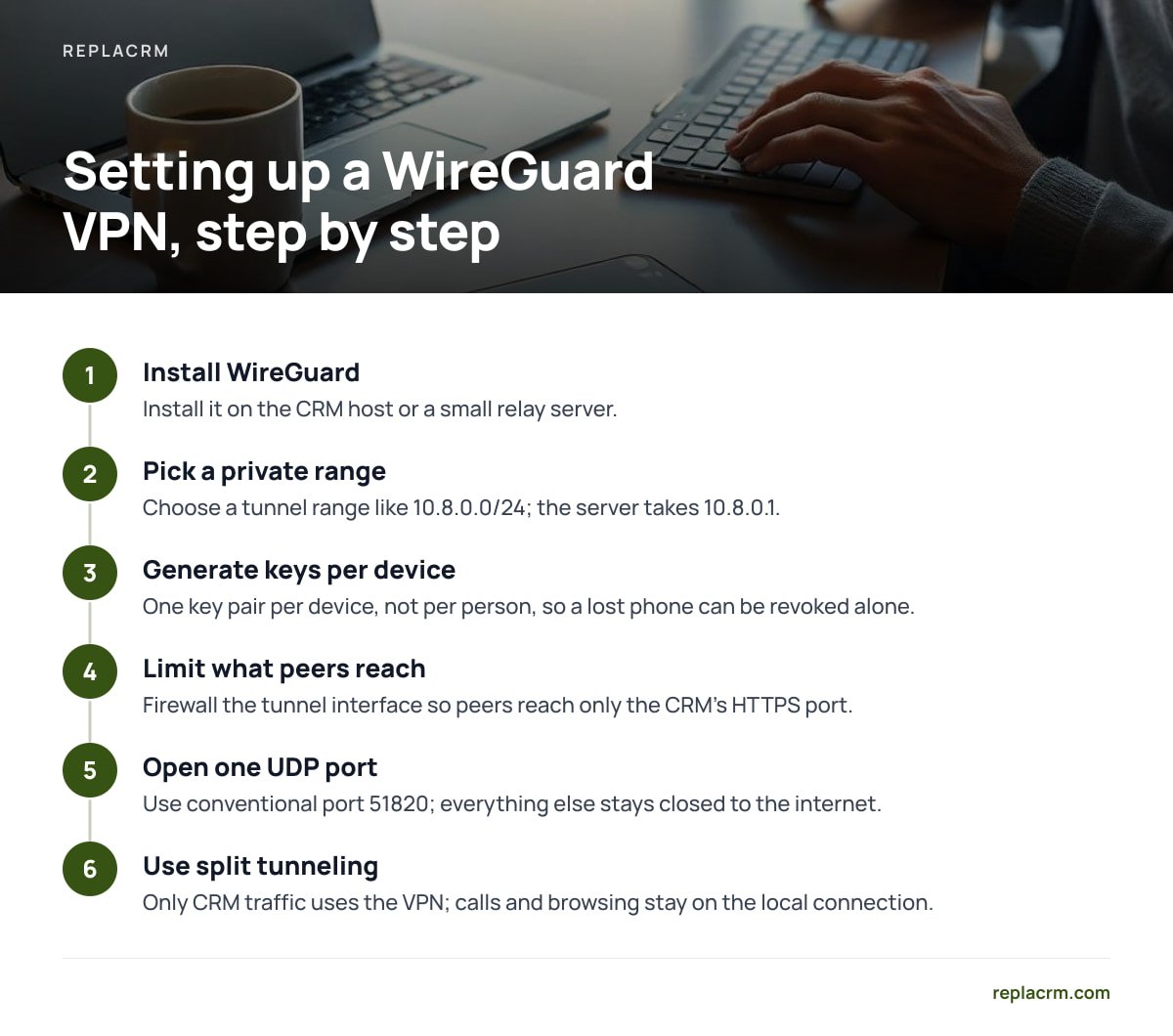
- Install WireGuard on the CRM host or a small relay server. If your CRM server already has a public IP, install it there. To keep the VPN endpoint separate, a small virtual server at a few dollars a month works as the relay.
- Pick a private range for the tunnel. Something like
10.8.0.0/24. The server takes10.8.0.1, and each device gets its own address after that. - Generate one key pair per device, not per person. A laptop and a phone are two peers. This lets you revoke a lost phone without touching the laptop.
- Limit what each peer can reach. On the server, firewall the tunnel interface so peers can reach only the CRM's HTTPS port. Do not leave the entire server network open.
- Open one UDP port. WireGuard's conventional port is 51820. Everything else stays closed to the internet.
- Use split tunneling on client devices. Only CRM traffic goes through the VPN. Video calls and general browsing stay on the local connection.
A VPN peer that can reach one host on one HTTPS port exposes 1 port out of 65,535. A peer with a full-network tunnel exposes all of them.
The firewall rule in step 4 matters more than the VPN itself. A lot of small-business VPNs hand every connected laptop access to the whole office network, including printers, file shares and the database port. Your CRM database should never be reachable from a traveler's laptop. Only the web front end should be.
When a VPN Is the Wrong Pick, and What to Use Instead
A VPN fits staff who all carry company-managed devices. It fits badly in three situations.
Contractors and part-timers on personal devices
Handing a freelancer a VPN key puts a personal laptop of unknown health inside your private network. An identity-aware proxy is better here. It checks who the person is, via your email or single sign-on provider, and passes through only the CRM web app. NIST's zero trust architecture, SP 800-207 describes this model: access is decided per request, and being on the right network earns no implicit trust.
Teams with no one to maintain a server
A tunnel service that makes outbound-only connections from your server means you open zero inbound ports. That is a real security gain. The trade-off is that your whole team's access now depends on a third party's uptime and account security. If that account is compromised, so is your CRM front door. Protect it with a hardware security key.
Staff who cannot handle a VPN toggle
If your field sales rep forgets to connect, they will call you from a parking lot at 8 a.m. A proxy with browser-based login removes the toggle. I would pay for that convenience before I would train a reluctant user.
Locking the Login Itself: MFA, Sessions and Certificates
Assume the VPN will eventually be bypassed, by a stolen laptop or a shared key. The CRM login is your second wall.
- Multi-factor on every account. CISA's guidance on multifactor authentication is consistent on this: it blocks the large majority of credential-stuffing attempts. Use an authenticator app or a hardware key. SMS codes are better than nothing and worse than everything else.
- Short sessions for admins. An admin session that lives for 30 days is a gift to whoever steals the laptop. Set admin sessions to hours, and regular staff to a working day.
- Role limits by brand. If you run several brands, a rep for one brand should not see another brand's customers. Separation inside the CRM limits what any one stolen login can expose.
- TLS everywhere, even inside the tunnel. The VPN encrypts traffic, but a valid certificate on the CRM hostname prevents browser warnings that train staff to click through. Let's Encrypt certificates are valid for 90 days, so automate renewal. A calendar reminder is not a plan.
For inside-the-VPN hostnames that the public internet cannot reach, use a DNS-based certificate challenge. The standard HTTP challenge needs a public-facing port, which defeats the point.
Pro Tip: Test your setup from a phone hotspot with Wi-Fi switched off, not from the office. Some hotel and airport networks drop larger UDP packets. If the tunnel connects but pages hang halfway, lower the WireGuard MTU from the default 1420 to 1280 on the client. That single line fixes the most common "VPN works but CRM won't load" complaint from the road.
What Breaks on the Road: Hotel Wi-Fi, Phones and Calls

Remote access fails in predictable ways, mostly outside your server.
- Captive portals. Hotel Wi-Fi blocks all traffic until the guest accepts terms in a browser. A VPN set to "always on" will not connect until that page is cleared. Tell staff to accept the portal first, then connect.
- Blocked UDP. Some corporate and hotel networks allow only web traffic. If WireGuard cannot get through, a tunnel or proxy running over HTTPS on port 443 will, so keep one as a backup.
- Changing addresses. An IP allowlist assumes the address stays put. A traveler may use four different networks in a day, so allowlists suit an office and fail a sales team.
- Calls and texts. If your CRM handles calling and texting through the browser or a softphone, voice traffic over a VPN adds latency. Keep calls off the tunnel where the setup allows, or make sure the VPN host has good bandwidth and sits near your staff.
- Phones. Staff will open the CRM on a phone. Give them the same WireGuard config through a QR code, and require a screen lock on any device that holds a key.
If your team works from a unified customer inbox, a dropped connection also means missed replies. The unified inbox guide explains why a single record per customer makes it easier to pick up a conversation from any device once access is stable.
Offboarding, Logging and Patching: The Upkeep That Keeps It Safe
Setup takes a weekend. Upkeep decides whether it stays safe.
Offboarding. Keep a one-page list of every device key and who holds it. When someone leaves, remove their WireGuard peer, disable their CRM account and end their sessions in the same hour. A key-per-device VPN beats shared passwords here: revocation takes one line.
Logs. Turn on logging for VPN handshakes and CRM logins. You do not need a monitoring platform. You need to be able to answer "who logged in from where last Tuesday" in under five minutes.
Patching. The remote access layer is itself a target. CISA's Known Exploited Vulnerabilities catalog has carried many entries for VPN gateways and remote access products, so a small component you update on schedule beats a feature-heavy appliance you forget. Set a monthly patch day for the OS, the VPN and the CRM.
Backups. Remote access does nothing for you if the server is lost. Keep encrypted, off-server backups and restore one to a test machine at least once. For the wider cost picture of running your own stack, see how to reduce CRM costs beyond the monthly subscription and the breakdown of what you own, run and pay for.
Get a Self-Hosted CRM Your Whole Team Can Reach Safely
ReplaCRM installs on your own server, so you decide the access layer: a WireGuard VPN, a tunnel, or a proxy that exposes only the booking and form pages. It is a one-time license from $1,495 with no per-user fees, so adding a traveling rep or a contractor adds nothing to a monthly bill. Brands stay separated under one login, and the unified inbox, sales board and customer self-booking all work from whatever device your staff carry.
ReplaCRM does not run your VPN or firewall for you. That layer sits on your server, and you or someone you hire sets it up. Check the spec sheet for the login and session options in your version before you design the MFA step, and plan a half day for the first setup.
Frequently Asked Questions
Is it safe to expose a self-hosted CRM directly to the internet?
It can be done, but every flaw in the login page becomes reachable by anyone. If you must, use MFA, rate limiting, automatic patching and a reverse proxy that hides admin paths. A VPN or tunnel for staff is safer and not much harder.
Do I need a VPN if my CRM already has a strong login?
A strong login helps, but it is a single wall. A VPN keeps the login page invisible to the internet, so strangers cannot exploit an unpatched bug. Use both when you can.
How do I let customers book appointments if the CRM is behind a VPN?
Split the system into public and private hostnames. Expose only the booking, form and chat endpoints publicly through a reverse proxy, and keep the staff login and admin on a hostname that resolves only inside the tunnel.
Why doesn't an IP allowlist work for traveling employees?
Hotels, airports, cafes and mobile carriers assign new addresses constantly, so a traveler's address changes several times a day. Allowlists work for fixed offices. For people on the move, use a VPN or an identity-aware proxy.
What should I do when an employee leaves?
Remove their VPN peer or proxy access, disable their CRM account and end active sessions within the hour. Keep a list of which device keys belong to whom so nothing is missed.
Sources
- Guide to Enterprise Telework, Remote Access, and Bring Your Own Device (BYOD) Security (SP 800-46 Rev. 2) | NIST
- Zero Trust Architecture (SP 800-207) | NIST
- WireGuard: fast, modern, secure VPN tunnel | WireGuard
- Known Exploited Vulnerabilities Catalog | CISA
- Why ninety-day lifetimes for certificates? | Let's Encrypt
- Cybersecurity and Infrastructure Security Agency | CISA
Leave a Reply