
An on-premise CRM for small business is customer software you install on a server you control, usually paid for once instead of rented per user each month. What matters most is who holds the data and who controls the bill. Where the hardware sits matters less. A server in your back office and a cloud server you rent both count, and for most small firms the rented server is the better choice. You stop paying seat fees, and you take on patching and backups.
TL;DR:
- "On-premise" now covers two setups, a box in your office or a cloud server you rent and control. The rented server is the better pick for most small businesses.
- At eight users and $50 a seat, a per-seat CRM costs about $24,000 over five years. A one-time license plus hosting costs a fraction of that.
- Running your own CRM means you own patching, backups, TLS certificates and uptime. Budget a few hours a month or pay someone to do it.
- Hosting the CRM yourself does not make you compliant. You still have to secure the data and be able to restore it, under GDPR Article 32 and similar laws.
- If you run several brands, check that the CRM keeps each brand's customers separate under one login before you check anything else.
Table of Contents
- On-Premise CRM for Small Business: What the Term Means Now
- The Real Cost Math: Per-Seat Rent vs. a One-Time License
- What You Take On When You Run the CRM Yourself
- Office Box or Rented Server: Where Your CRM Should Live
- Compliance and Data Ownership: What Self-Hosting Fixes and What It Doesn't
- What to Check Before You Buy: A Shortlist for Multi-Brand Owners
- When You Should Stay on a Per-Seat SaaS CRM
- Pay Once, Own Your Customer Records, and Run Every Brand From One Login
- Frequently Asked Questions
- Sources
On-Premise CRM for Small Business: What the Term Means Now

The phrase used to mean a beige tower in a supply closet. Today it usually means any CRM you install and run yourself. The vendor does not host it for you. The software sits on a server whose login, data and billing belong to you.
That gives you two practical setups:
- In-office hardware. You buy a physical server or small appliance, put it on your premises, and run the CRM on it. Your data never leaves the building. Power, cooling, internet, hardware failure and remote access also become your problem.
- A rented server you control. You rent a virtual private server from a hosting provider and install the CRM on it. The provider handles the physical machine. You hold the root login, the database and the backups. This is often called self-hosted, and the full breakdown of what self-hosted CRM means covers it in more depth.
Both setups end the per-seat subscription. The software license is paid once, and adding a user costs nothing. That difference is why most small business owners start looking.
Our position: unless a regulator or a client contract requires data to stay on your premises, rent the server. A $40-a-month virtual server in a professional data center gets better power, cooling and network redundancy than you can afford to build in an office. It is also reachable from anywhere without punching holes in your office firewall.
The Real Cost Math: Per-Seat Rent vs. a One-Time License
Per-seat CRM pricing looks cheap in month one. The cost grows with every hire and never stops. Commercial SaaS CRMs commonly charge somewhere between $25 and over $100 per user per month, and the useful features tend to sit in the upper tiers.
Here is a five-year comparison for a small team of eight users. The figures are illustrative, so swap in your own quotes.
| Cost item (5 years, 8 users) | Per-seat SaaS CRM at $50/user/month | Self-hosted CRM, one-time license |
|---|---|---|
| Software | $24,000 | $1,495 (one-time) |
| Server hosting | Included | ~$2,400 (at ~$40/month) |
| Adding a 9th and 10th user | +$6,000 over 5 years | $0 |
| Admin time (updates, backups) | Minimal | ~2–4 hours/month, yours or paid |
| Data export if you leave | Depends on vendor's export tools | You already hold the database |
| Approximate total | $24,000–$30,000 | ~$3,900 plus admin time |
Eight users at $50 a seat is $4,800 a year. In year five you are still paying it, and you still do not own a single row of the data.
The admin time is the honest catch. If you value your own hours at $75 and spend three a month on upkeep, that adds about $13,500 over five years. The self-hosted option still costs less in that case, but the gap is smaller than the license prices suggest. You can cut that time sharply by paying a freelance sysadmin a small monthly retainer, or by choosing a CRM with simple, scripted updates.
Multi-brand owners see the biggest gap. Many per-seat tools charge separately for each workspace or account. If you run three brands with overlapping staff, you can end up paying for the same person three times.
What You Take On When You Run the CRM Yourself

Owning the server means owning its upkeep. None of this is exotic, but none of it is optional. The NIST Guide to General Server Security (SP 800-123) is old but still a sound baseline. It boils server security down to planning, hardening the operating system, patching, removing services you don't need, logging and backups.
Patching the operating system and the CRM
Unpatched software is the most common way small business servers get breached. Turn on automatic security updates for the operating system. Check for CRM updates at least monthly. Read the release notes before you apply them.
Backups you have actually restored
A backup you have never restored is a hope, not a backup. CISA's #StopRansomware guidance recommends keeping offline, encrypted backups of critical data and testing them regularly. For a CRM, that means nightly database dumps copied to a separate provider or account. Ransomware that reaches your server should not be able to reach the backup too.
Encryption in transit
Your CRM login page must run over HTTPS. Let's Encrypt issues free TLS certificates that renew automatically. Cost is no longer a reason to skip encryption.
Application security
Customer records are a target. The OWASP Top Ten lists the most critical web application security risks, including broken access control and injection. Ask any CRM vendor how their software handles these. Then do your part: enforce strong passwords, enable two-factor authentication if it's offered, and remove accounts the day someone leaves.
Pro Tip: Register the hosting account, the domain and the backup storage under a business email address you control. Do not use the address of the developer or freelancer who set things up. More small businesses lose access to their own self-hosted systems through a departed contractor than through hackers. Also store the root password and backup encryption key in a password manager that at least two owners can open.
Office Box or Rented Server: Where Your CRM Should Live
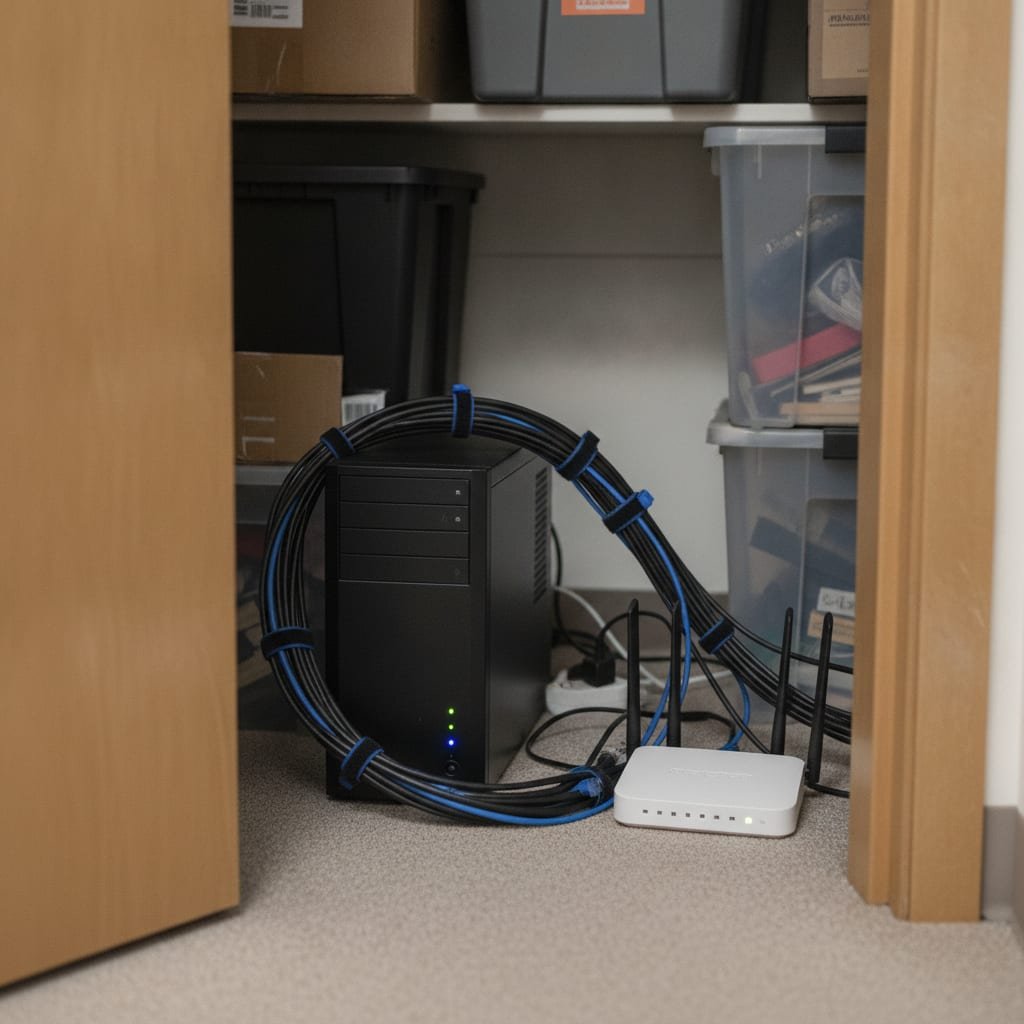
The choice comes down to who handles the physical risks and who needs access.
| Factor | Server in your office | Rented virtual server |
|---|---|---|
| Upfront cost | Hardware purchase ($1,000+) | None |
| Monthly cost | Power, internet, eventual replacement | ~$20–$80 typical |
| Power and cooling redundancy | Only what you buy | Data-center grade |
| Remote access for staff | Needs VPN or exposed ports | Built-in over HTTPS |
| Data physically on your premises | Yes | No |
| Hardware failure | Your problem, often your weekend | Provider replaces it |
| Best for | Strict on-site data requirements | Almost everyone else |
Pick the office box only if a contract, regulator or industry rule says customer data must stay on your premises. Otherwise, the rented server wins on reliability, access and cost. It also gives you the thing you were actually after: your data, under your control, with no seat fees.
If you plan to run open-source software rather than a commercial self-hosted product, the trade-offs change again. That route usually means more setup and fewer finished features. Our guide to self-hosted open source CRM explains what you own and what you run in that case.
Compliance and Data Ownership: What Self-Hosting Fixes and What It Doesn't
Self-hosting gives you control. It does not give you compliance. If you hold personal data about people in the EU, Article 32 of the GDPR requires "appropriate technical and organisational measures" to secure it. That includes encryption where appropriate and regular testing of your safeguards.
GDPR Article 32 explicitly requires the ability to restore the availability and access to personal data in a timely manner after a physical or technical incident. An untested backup does not meet that bar.
What self-hosting does fix:
- Fewer third parties. No CRM vendor stores or processes your customer data on its own servers. If you rent a server, the hosting provider is still a processor, so you still need a data processing agreement with them.
- Your choice of location. You decide which country or region the server sits in. That matters if your customers or contracts require data to stay in a specific jurisdiction.
- Exit on your terms. You already hold the database. Leaving never depends on a vendor's export tool or a cancellation window.
What it doesn't fix: you still need consent records, retention rules, access controls and a process for deletion requests. Similar duties apply under other privacy laws worldwide. Self-hosting makes these easier to enforce because you control the database, but you still have to enforce them.
What to Check Before You Buy: A Shortlist for Multi-Brand Owners
Most CRM buying guides assume one company and one brand. If you run several, check these points first.
- True brand separation. Each brand's customers, pipelines and messages should stay apart under one login. A support agent for Brand A should not see Brand B's customers unless you allow it.
- One record per customer, all channels. Chats, support tickets, form submissions, email and calls should land on a single customer timeline. Otherwise you are paying to store fragments.
- Licensing that ignores headcount. Confirm in writing that there are no per-user, per-brand or per-contact fees. Some "self-hosted" products still meter usage.
- Plain server requirements. Ask for the exact operating system, database and memory needed. If the vendor can't give a clear spec sheet, setup will be painful.
- A documented update process. Find out how updates are delivered and how long they take. Updating should be a routine job, not a project.
- Built-in sales tools. A deal board, customer self-booking and e-signing remove the need for separate subscriptions. Every add-on you cut is one less monthly bill.
When You Should Stay on a Per-Seat SaaS CRM
Self-hosting isn't right for everyone. Stay on a hosted subscription if:
- Nobody on your team will own the server. If there is no one to apply updates or check backups, and you won't pay someone to, a hosted tool is safer.
- You have one or two users and no growth plans. At two seats, subscription costs stay modest, and the admin overhead may not pay off for years.
- You need a deep library of third-party plug-ins. Large hosted ecosystems offer connectors that a self-hosted product may not match.
If none of those apply, and especially if you run more than one brand or expect to hire, the math and the control both favor owning your CRM.
Pay Once, Own Your Customer Records, and Run Every Brand From One Login
ReplaCRM is built for the problem this article describes: small business owners paying monthly rent per seat for customer data they don't control. You pay once, from $1,495, and run it on your own server. There are no per-user fees and no limits on brands, users or customers. Chats, support tickets, form submissions, email and calls all land on one customer record. Each of your businesses keeps its customers separate under a single login. A sales board, customer self-booking, e-signing, calling and texting are included, and it connects to ReplaChat and ReplaTicket.
The honest limit: you are running a server. Someone needs to handle updates and confirm that backups actually restore, as described above. Read the server requirements on our spec sheet before you buy, and the same goes for any other CRM. If nobody on your team can own that work, budget for a sysadmin first.
Frequently Asked Questions
Is an on-premise CRM the same as a self-hosted CRM?
In everyday use, mostly yes. Both mean you install and run the CRM yourself instead of renting it from a vendor. Strictly, "on-premise" means hardware in your own building, while "self-hosted" also covers a cloud server you rent and control.
How much does an on-premise CRM cost for a small business?
The software is often a one-time license, usually in the low thousands of dollars. Hosting on a rented virtual server typically runs about $20 to $80 a month. Also budget for a few hours of admin time each month or a small retainer for a sysadmin.
Do I need an IT person to run a self-hosted CRM?
You need someone who can apply updates, manage HTTPS certificates and test backup restores. That can be a technical owner, an employee or a freelance sysadmin on a small monthly retainer. What matters is that one named person is responsible for it.
Is a self-hosted CRM more secure than a cloud CRM?
It isn't automatically more secure. It is more under your control. A patched, backed-up, HTTPS-only server with strong access controls is a strong setup, but a neglected one is a liability.
Does hosting my CRM myself make me GDPR compliant?
No. GDPR Article 32 still requires appropriate security measures and the ability to restore personal data after an incident. Self-hosting reduces the number of third parties involved, but you still need consent records, retention rules and a processing agreement with your hosting provider.
Sources
- Guide to General Server Security (SP 800-123) | National Institute of Standards and Technology
- #StopRansomware | Cybersecurity and Infrastructure Security Agency
- Art. 32 GDPR – Security of processing | Intersoft Consulting (GDPR text)
- Let's Encrypt | Internet Security Research Group
- OWASP Top Ten | OWASP Foundation
Leave a Reply