

Vtiger self hosted means downloading the open source edition and running it on your own PHP and MySQL server. The code is free. The running is not. You take on installation, security patches, backups and upgrades, and the open source edition is not the same product as the paid hosted plans. Choose it only if someone on your team will maintain a server for years.
TL;DR:
- Vtiger self hosted is the community open source edition on your own LAMP-style server. It is not the paid cloud product, and features can differ between them.
- The license fee is $0. The real cost is your hours: plan on a few hours to install and a few more every quarter to patch, back up and test restores.
- Old releases were built for older PHP versions. Running unsupported PHP on a server that holds customer data is the biggest risk in this setup.
- GitHub, GitLab and "download" pages are not equal. Pull from the official repository or release page and treat every other copy as a fork until proven otherwise.
- If you want to own your data but not babysit a stack, a one-time-license self-hosted CRM with support for multiple brands is a safer pick than a community edition you patch yourself.
Table of Contents
- Vtiger Self Hosted: What You Actually Install, and What the License Says
- GitHub, GitLab, and the Download Page: Which Copy to Trust
- What Your Server Needs, and the PHP Problem
- Installing It in an Afternoon, Then Keeping It Alive for Years
- The Real Cost of Vtiger Self Hosted: Hours, Not License Fees
- Login, Demo, and NextGen: Three Searches That Send You to the Wrong Place
- Who Should Self-Host Vtiger, and Who Should Skip It
- Get a Self-Hosted CRM You Pay for Once and Run on Your Own Server
- Frequently Asked Questions
- Sources
Vtiger Self Hosted: What You Actually Install, and What the License Says
Vtiger publishes an open source edition of its CRM. You download it, put it on a web server, point it at a database, and run the installer. That is what "Vtiger self hosted" means. You get a PHP application, a MySQL or MariaDB database, and a browser login at a URL you control.
You do not get a login page hosted by anyone else. There is no central account. If you lose the server, you lose the CRM unless you made backups.
The edition is community supported. That means forums and documentation, not a support contract. The hosted plans are a different product with their own feature set, so compare the feature lists before you assume the two match.
On licensing, the open source edition ships under the Vtiger Public License, which is derived from the Mozilla Public License and carries attribution terms. Read the license file inside the download yourself. The Open Source Initiative keeps the reference list of approved open source licenses, which is a useful place to check what a given license permits. Do not assume "open source" means "no strings."
GitHub, GitLab, and the Download Page: Which Copy to Trust
Most people searching for Vtiger self hosted land on a code repository first. That is fine. Just know what you are looking at.
| Where you look | What you usually find | What to check |
|---|---|---|
| Official GitHub repository | Source code and tagged releases | Use a tagged release, not whatever is on the main branch |
| GitLab results | Mirrors, forks, personal copies | Who owns it, and when it was last updated |
| Official download page | Packaged release you can unzip and upload | Version number against the release notes |
| Third-party "free download" sites | Repackaged archives | Skip them. A CRM holds your customer list |
A CRM install is a login page in front of your customer list. Never run code you pulled from a site you could not name.
Our rule is simple. Download once from the official source, record the version, and write down the checksum if one is published. Every fork you did not vet is a code review you did not do.
What Your Server Needs, and the PHP Problem
The stack is familiar: a web server (Apache or Nginx), PHP with a list of required extensions, and MySQL or MariaDB. A small VPS handles a small team fine. The hardware is not the problem.
PHP is.
Older Vtiger releases were written for older PHP versions. The PHP project's supported versions page shows when each branch stops getting security fixes. PHP 7.4, for example, reached end of life in November 2022. Anything past that date on 7.4 is running with known holes that will never be patched upstream.
If your release only runs on a PHP branch that has reached end of life, you are choosing between a broken app and an unpatched server.
That is the trade-off nobody puts in a install guide. You have three options:
- Run the supported PHP version. Check the release notes for the exact range and match it.
- Isolate the old version. Run it in a container or separate VM, with no other apps on it and tight firewall rules.
- Skip the release. Pick a different CRM that runs on a current PHP branch.
The OWASP Top 10 lists vulnerable and outdated components as its own risk category. A stale PHP runtime is exactly that.
Installing It in an Afternoon, Then Keeping It Alive for Years

The install is the easy part. You can do it in an afternoon.
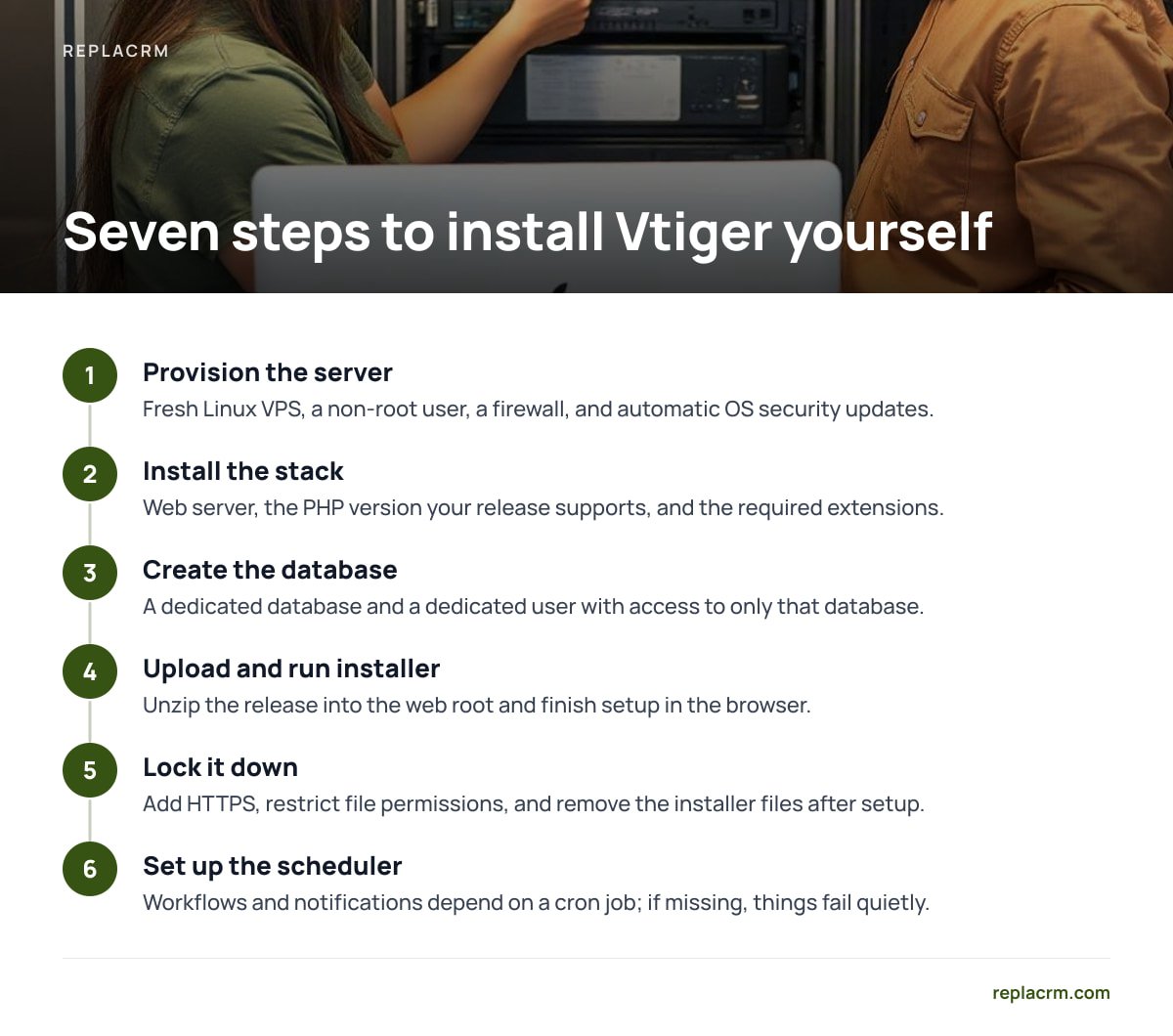
- Provision the server. A fresh Linux VPS, a non-root user, a firewall, and automatic OS security updates.
- Install the stack. Web server, the PHP version your release supports, and the required extensions.
- Create the database. A dedicated database and a dedicated user with access to only that database.
- Upload and run the installer. Unzip the release into the web root and finish setup in the browser.
- Lock it down. Add HTTPS, restrict file permissions, and remove the installer files once setup is done.
- Set up the scheduler. Workflows and notifications depend on a cron job. If it is missing, things fail quietly.
- Schedule backups. Database dump plus the storage folder, copied off the server.
The afternoon ends here. The years start.
Every few months you will check for a new release, read the notes, test the upgrade on a copy, and apply it. Add-ons and custom modules can break on upgrade. The more you customize, the more each update costs.
Pro Tip: Test a restore, not just a backup. Once, right after install, spin up a second cheap server and rebuild the CRM from your backup files. If you cannot get a working login in under an hour, your backup plan is a hope, not a plan. Do it again every time you change PHP versions.
The Real Cost of Vtiger Self Hosted: Hours, Not License Fees
The license is $0. That is the number every comparison page leads with, and it is the least useful number in the whole decision.
| Cost line | Open source on your server | Paid hosted plan | One-time-license self-hosted CRM |
|---|---|---|---|
| License | $0 | Recurring, usually per user per month | One payment |
| Server | You pay, and you run it | Included | You pay, and you run it |
| Security patches | You apply them | Vendor applies them | You apply updates |
| Support | Community | Plan dependent | Included with license terms |
| Cost grows with headcount | No | Yes | No |
Look at the bottom row. The open source edition and a one-time license both avoid per-seat growth. The difference is who does the maintenance and who answers when something breaks.
Put a price on your own time. If you or a contractor spend six hours a quarter on patching, backups and upgrade testing, that is 24 hours a year. At any hourly rate that is real money, and it comes due whether or not anything goes wrong. For more on the full ledger, see our breakdown of what you own, what you run, and what it costs.
There is also a legal side. Under the General Data Protection Regulation, Article 32 requires appropriate technical and organizational security measures for personal data. When you self-host, you are the one who has to show you did it. Patching, access controls and tested backups are the evidence.
Login, Demo, and NextGen: Three Searches That Send You to the Wrong Place
Three related searches confuse more people than any install step.
- Vtiger login. On a self-hosted install, the login lives at your own domain. There is no shared sign-in page. Searching for one usually lands you on the hosted product's login, which will not accept your credentials.
- Vtiger CRM demo. The public demos are mostly of the hosted product. They are fine for learning the layout. They tell you little about what the open source edition includes. Test on a throwaway VM.
- Vtiger NextGen. This usually refers to the newer hosted product line. Do not assume its features exist in the open source download. Look for them in the release notes before you plan around them.
The general pattern: when marketing pages and the community code do not match, the code is the truth.
Who Should Self-Host Vtiger, and Who Should Skip It
Here is my position. Self-host Vtiger open source if three things are true. You have a developer or sysadmin who enjoys this work. You want to modify the CRM's code. And you can commit to patching on a schedule. Under those conditions it is a capable, flexible tool and the $0 license is a real advantage.
Skip it if you are an owner who just wants to stop paying per seat. For you, the maintenance is a second job. Forum and Reddit threads on the subject tend to circle the same themes: upgrades that break add-ons, version confusion, and whether anyone is still maintaining the piece you need. Read a few before you commit. Treat them as warnings about effort, not verdicts on the software.
If you run several brands, add one more test. A CRM that keeps each brand's customers separate under one login saves you from running three installs. Our guide on one CRM or separate CRMs for each brand gives a clear rule. And if you are weighing the whole category, what a self-hosted CRM is and why it beats per-seat pricing covers the case without the code.
One more thing to plan for: exit. Know how you would export your data if a project stalls. What happens to your data if a CRM vendor shuts down walks through it. Self-hosting helps here, because the database is yours. But only if you can read it.
Before you install anything, search the National Vulnerability Database for the product name and your target version. Ten minutes of reading tells you what has been found, and what has been fixed.
Get a Self-Hosted CRM You Pay for Once and Run on Your Own Server
If the part of Vtiger self hosted you like is owning your data, and the part you dread is patching a community stack, that is the gap Replacrm fills. It is a self-hosted CRM sold for a one-time payment, from $1,495. No per-user fees. Unlimited brands, users and customers. Chats, tickets, forms, email and calls land on one customer record, each brand's customers stay separate, and you get a sales board, customer self-booking, e-signing, and calling and texting. It also connects to ReplaChat and ReplaTicket.
One honest limit. It still runs on your server, so you are still responsible for hosting, backups and applying updates. You are not buying a managed service. Moving from Vtiger also means exporting and importing your records, so check the spec sheet for what carries over before you buy.
Frequently Asked Questions
Is Vtiger self hosted free?
The open source edition has no license fee, but running it is not free. You pay for a server and for the hours spent on installation, security patches, backups and upgrades. Add-ons or custom work add to that.
Is the open source edition the same as the paid Vtiger CRM?
No. They are separate editions and their feature sets can differ. Check the release notes of the open source download rather than relying on the hosted product's demo or marketing pages.
What server do I need to run Vtiger on my own?
A Linux server with a web server, PHP with the required extensions, and MySQL or MariaDB. A small VPS is enough for a small team. The key detail is matching the PHP version your release supports, and not running a branch that has reached end of life.
Where do I download Vtiger safely?
Use the official repository or the official download page and install a tagged release. Treat GitLab copies, mirrors and third-party download sites as unverified forks. Record the version and checksum if one is published.
Can I use Vtiger self hosted for several brands?
You can, but the open source edition is not built around keeping each brand's customers cleanly separate under one login. You may end up running separate installs. Check your needs against the release notes before you start.
Does self-hosting make me responsible for GDPR security?
If you hold personal data of people in the EU, you are a controller or processor either way. Article 32 requires appropriate security measures, so when you self-host you are the one who must apply patches, control access and test backups.
Sources
- Supported Versions | The PHP Group
- A06:2021 Vulnerable and Outdated Components | OWASP
- National Vulnerability Database | NIST
- Regulation (EU) 2016/679 (GDPR) | EUR-Lex
- Licenses | Open Source Initiative
Leave a Reply