

A CRM e-signature compliance checklist comes down to five proofs: the client intended to sign, agreed to sign electronically, was tied to the record, signed a document that has not changed since, and you can still produce all of it years later. Signature type matters less than most vendors imply. Under the US ESIGN Act and the EU's eIDAS regulation, a plain electronic signature is valid for most business contracts when that evidence exists.
TL;DR:
- Match the signature level to the contract. A simple electronic signature with a strong audit trail covers most small business agreements, and a qualified signature is rarely worth the friction.
- Check the exclusion list first. Wills, family law documents, certain utility and foreclosure notices and a few other categories cannot be e-signed under the US ESIGN Act.
- Capture intent, consent and identity. You need a clear sign action, a consent step where the law requires one, and a signing link tied to a verified address.
- Demand a full audit trail. Store and export the signer name, timestamp, IP address, event history and a document hash.
- Plan for year seven. A self-hosted CRM makes you the custodian, so test that signed PDFs and their audit records survive a restore.
Table of Contents
- The CRM E-Signature Compliance Checklist at a Glance
- Pick the Signature Level First: Simple, Advanced or Qualified
- Check for Documents the Law Won't Let You E-Sign
- Consent, Intent and Identity: What Proves the Client Meant It
- The Audit Trail Fields to Demand Before You Go Live
- Multi-Brand and Data Checks Inside a Self-Hosted CRM
- Retention, Backup and Restore: Evidence You Can Still Produce in Year Seven
- Run a Test Signature Before You Send a Real One
- Get E-Signing, Bookings and Contracts on One Record You Own
- Frequently Asked Questions
- Sources
The CRM E-Signature Compliance Checklist at a Glance
Run these eight checks before the first client signs anything. Each one maps to a rule you can name, which matters if a contract is ever challenged.
| # | Check | What to verify | Rule it traces to |
|---|---|---|---|
| 1 | Signature level | The level matches the contract's risk | eIDAS Article 25 |
| 2 | Excluded documents | The contract type is allowed to be e-signed | ESIGN Act Section 103 |
| 3 | Consumer consent | Disclosure and consent captured where required | ESIGN Act Section 101(c) |
| 4 | Intent | Client sees the full document and takes a deliberate sign action | ESIGN Act, UETA |
| 5 | Identity | Signing link goes to a verified address, with a second factor for high-value deals | eIDAS Article 26 |
| 6 | Audit trail | Who, when, from where, and every step in between | 21 CFR Part 11 (as a yardstick) |
| 7 | Document integrity | Any change after signing is detectable | eIDAS Article 26 |
| 8 | Retention and restore | Signed record can be reproduced accurately later | ESIGN Act Section 101(d) |
The sections below take them in order. If your signed contracts follow a booked call, the booking and the signature should land on the same customer record, and our guide to a self-hosted booking tool covers that half.
Pick the Signature Level First: Simple, Advanced or Qualified
The eIDAS regulation defines three tiers of electronic signature in the EU. The US ESIGN Act is looser: it recognizes any electronic sound, symbol or process attached to a record and adopted with intent to sign. The UNCITRAL Model Law on Electronic Signatures, which many national laws draw on, takes the same technology-neutral approach.
| Level | What it takes | Legal effect | Pick it when |
|---|---|---|---|
| Simple | A signature applied with intent, such as a typed or drawn name plus a click | Cannot be denied effect solely because it is electronic | Service agreements, quotes, proposals, NDAs, most B2B and B2C contracts |
| Advanced | Uniquely linked to the signer, identifies the signer, under the signer's sole control, and any later change to the data is detectable | Same legal basis as simple, with stronger evidence | Higher-value contracts and regulated customers |
| Qualified | Advanced, plus a qualified certificate and a qualified signature creation device | Equivalent to a handwritten signature across the EU | Contracts where a national law demands it |
Under eIDAS Article 25, only a qualified electronic signature automatically carries the same legal effect as a handwritten one. Every other level only has to avoid being rejected for being electronic.
The obvious advice is to buy the highest level you can. We would not. A qualified signature forces the client through certificate issuance, and that friction costs you signed deals. For ordinary service contracts, pick a simple signature backed by the audit trail in check 6. Move up to advanced when the contract value or the counterparty justifies a second identity factor. Use qualified signatures only where a statute requires one.
Check for Documents the Law Won't Let You E-Sign
The ESIGN Act lists categories it does not cover. If your CRM sends a template from one of these categories, a valid-looking signature may still be worthless.
US exclusions to check
- Wills, codicils and testamentary trusts. These need wet-ink execution in nearly every state.
- Family law documents. Adoption and divorce papers are excluded.
- Court documents. Orders, notices and official court filings are excluded.
- Default and foreclosure notices. The exclusion applies to notices on a primary residence.
- Utility cancellation notices. Notices of cancellation or termination of utility services are excluded.
- Insurance cancellations. Cancellation or termination of health or life insurance benefits is excluded.
- Product recalls and hazardous materials documents. Notices of recall or material failure of a product that risks health or safety are excluded.
State law adds its own quirks, and rules outside the US vary more. Real estate deeds, powers of attorney and some employment documents are the usual trouble spots. If your business signs any of them, ask a local lawyer once, then put the answer into a template rule in your CRM so staff cannot send the wrong document type for e-signing.
Consent, Intent and Identity: What Proves the Client Meant It
Three separate things have to be shown, and they fail separately.
Consent. Under ESIGN Section 101(c), when a law requires you to give a consumer information in writing, the consumer must first consent to receiving it electronically. They need a clear statement of their right to a paper copy and to withdraw consent, and the consent has to demonstrate they can open the electronic format. Many ordinary service contracts do not trigger this rule, but consumer finance, insurance and some leasing documents do. Check whether yours do. If they do, the consent step needs its own logged record, not a buried checkbox.
Intent. The client must see the whole document before signing and take a deliberate action, such as clicking "Sign and agree" after a final review screen. A signature field that appears before the client has scrolled past the terms invites a challenge.
Identity. Most CRM signing works by emailing a unique link, so control of the inbox is the identity check. That is acceptable for a $400 monthly retainer. For a $40,000 contract, add a one-time code by text message or a second contact channel. Each extra step lowers completion, so apply the second factor by contract value, not to every document.
Pro Tip: Log the consent screen as its own event with its own timestamp, separate from the signature event. If a client later says they never agreed to sign electronically, a record showing consent at 14:02 and signature at 14:09 answers both questions at once. Most default audit trails merge the two.
The Audit Trail Fields to Demand Before You Go Live
The audit trail is the document you will hand over if a signature is disputed. Open a test record and confirm each of these is stored, readable and exportable.
- Signer identity. Full name and the email address or phone number the link was sent to.
- Event timeline. Sent, delivered, opened, consent given, signed and completed, each with its own timestamp.
- Network data. The IP address and browser user agent at the moment of signing.
- Document hash. A cryptographic hash (SHA-256 is the usual choice) of the final PDF.
- Version reference. Which template version the client saw, so you can show terms did not change mid-flow.
21 CFR Part 11 applies to FDA-regulated records, so most small businesses are not bound by it. Its signature rules still make a useful benchmark.
Part 11 requires a signed record to show three things: the printed name of the signer, the date and time of signing, and the meaning of the signature, such as review, approval or responsibility.
Most CRM signing screens never record that third item, the meaning of the signature. Adding a line such as "I have read and agree to these terms as the authorized representative of [Company]" fixes that at no cost.
You also control the server clock when you self-host. Run NTP time sync and confirm the server reports UTC, because a timestamp from a drifting clock is easy to attack.
Multi-Brand and Data Checks Inside a Self-Hosted CRM

If you run several brands from one CRM, each contract has a different legal counterparty. Check that the signing page, the PDF header and the audit trail all show the correct brand and legal entity. A client who signs a document branded "Harbor Fitness" when the contracting entity is "Harbor Wellness LLC" has a ready-made argument that they never agreed to your terms.
Three further checks apply when the data sits on your own machine:
- Brand separation. A signature record for one brand must not appear in another brand's customer view. Test by logging in as a user limited to a single brand.
- Access control. Limit who can edit or delete signed records. Deletion rights on completed contracts should belong to an owner role only.
- Secure access. If staff reach the CRM remotely, do it without publishing the login page to the internet. Our guide to remote access for a self-hosted CRM walks through the options.
Keeping chats, tickets and email on the same record also helps in a dispute, because the client's questions before signing sit beside the signature. See how a unified customer inbox works.
Retention, Backup and Restore: Evidence You Can Still Produce in Year Seven
ESIGN Section 101(d) requires that a record you must retain stays accurately reproducible for later reference. On a rented platform, the vendor carries that burden. On a self-hosted CRM, you do.
Retention periods vary by contract type and jurisdiction, so set yours with your accountant or lawyer, then configure it. Then check the mechanics:
- Both halves backed up. The signed PDF and the database rows holding the audit trail must be in the same backup. A PDF with no trail is a weaker exhibit.
- A restore, not just a backup. Restore to a scratch server and open a signed contract. How to back up a self-hosted CRM database and prove it restores gives a repeatable test, and the backup strategy for surviving a crash covers schedules and off-site copies.
- Format survival. Keep signed contracts as standard PDF, which you can open without the CRM.
Pro Tip: Write each signed PDF's SHA-256 hash to a log the CRM cannot edit, such as a weekly digest emailed to your own address. After a restore, recompute the hash and compare. If the numbers match, you can show nobody altered the file after signing, even though you control the server. A self-hosted setup is most open to that objection.
Run a Test Signature Before You Send a Real One
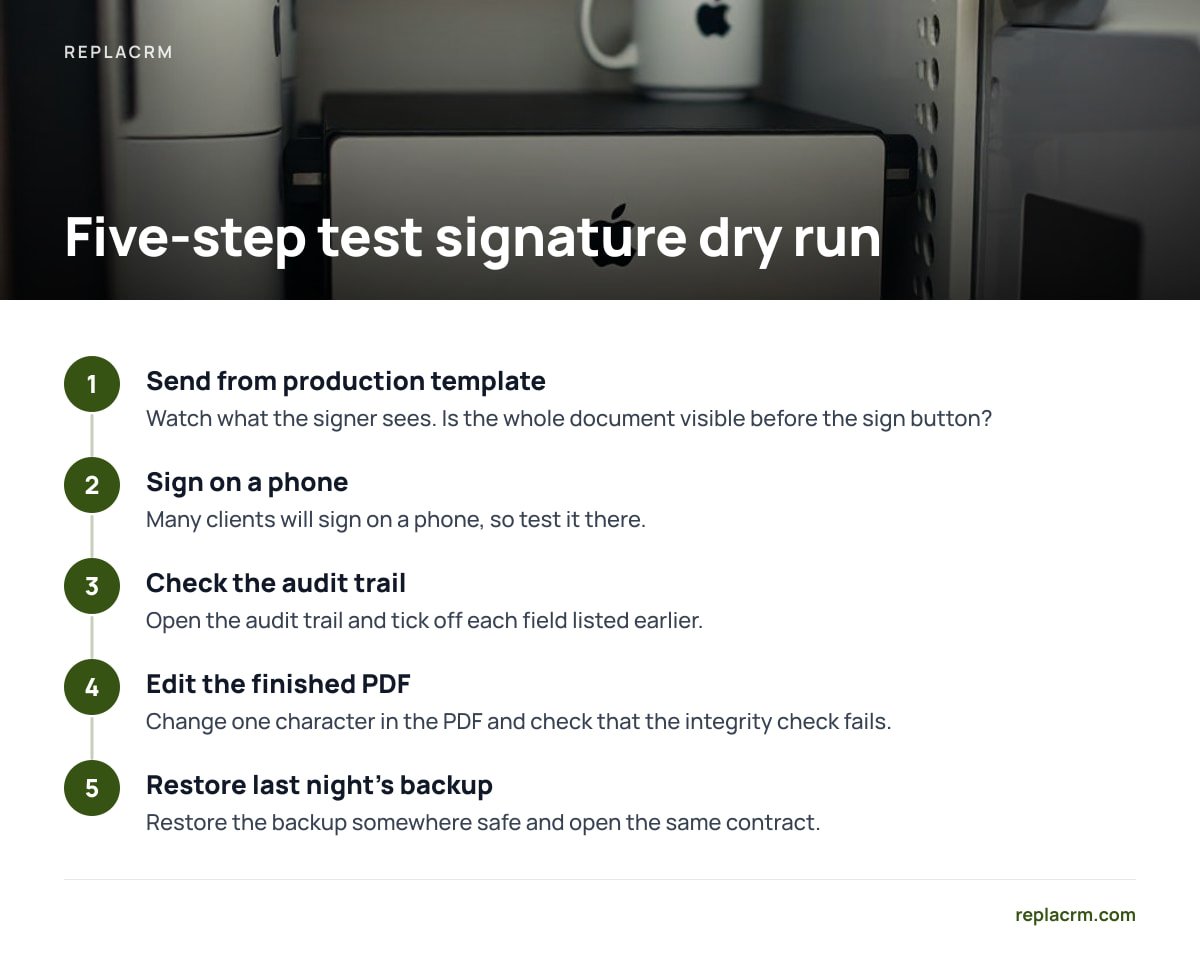
Spend fifteen minutes on a dry run with a colleague's personal email, not your own.
- Send a contract from the production template and watch what the signer sees. Is the whole document visible before the sign button?
- Sign it on a phone. Many clients will.
- Open the audit trail and tick off the fields listed above.
- Edit one character in the finished PDF and check that the integrity check fails.
- Restore last night's backup somewhere safe and open the same contract.
If any step fails, fix it before a client finds the gap. It is cheaper to find each failure with a colleague than with a customer.
Get E-Signing, Bookings and Contracts on One Record You Own
The checklist above is mostly about keeping evidence in one place you control. Replacrm is a self-hosted CRM that puts e-signing, customer self-booking, chats, tickets, email and calls on a single customer record. Each of your brands stays separate under one login, so a contract for one brand never shows up in another's view. The data lives on your server, backed up on your schedule. The license is a one-time payment from $1,495, with no per-user fees and unlimited brands, users and customers.
No CRM makes a contract compliant by itself. Before you rely on any signing tool, including ours, check the spec sheet against the audit trail fields in this article and confirm what the signing record captures. If a contract needs a qualified electronic signature under eIDAS, you will still need a qualified trust service provider, and excluded document types still need wet ink.
Frequently Asked Questions
Are e-signatures in a CRM legally binding?
Yes, in most countries, for most business contracts. The US ESIGN Act and the EU's eIDAS regulation both say a signature cannot be denied legal effect solely because it is electronic. Binding in practice depends on evidence of intent, consent and an intact record.
Do I need a qualified electronic signature for client contracts?
Usually not. Under eIDAS a qualified signature is the only level with automatic handwritten-equivalent effect, but simple and advanced signatures remain valid and admissible for most commercial agreements. You need a qualified signature only where a specific law demands one.
Which documents can't be e-signed in the US?
The ESIGN Act excludes wills, codicils and testamentary trusts, adoption and divorce papers, court orders and notices, default and foreclosure notices on a primary residence, certain utility and insurance cancellation notices, and product recall notices. State laws add more, so check yours.
What should an e-signature audit trail include?
At minimum: signer name and contact address, timestamps for sending, opening, consent and signing, the IP address at signing, the template version and a hash of the final PDF. Part 11's model of printed name, date and time, and the meaning of the signature is a good benchmark.
Is a self-hosted CRM riskier for e-signatures than a hosted one?
It shifts responsibility. You become the custodian of signed records, so you must back up the PDF and audit trail together, sync the server clock and test restores. In exchange, the contracts and client data stay on your own server.
Sources
- Electronic Signatures in Global and National Commerce Act (15 U.S.C. Chapter 96) | Cornell Law School Legal Information Institute
- Regulation (EU) No 910/2014 (eIDAS) | EUR-Lex, European Union
- 21 CFR Part 11, Electronic Records; Electronic Signatures | Electronic Code of Federal Regulations
- UNCITRAL Model Law on Electronic Signatures | United Nations Commission on International Trade Law
Leave a Reply