Category: Uncategorized

  • CRM With Unlimited Users and a Flat Price: What It Costs

    CRM With Unlimited Users and a Flat Price: What It Costs

    A CRM with unlimited users and a flat price only saves you money if the flat price covers everything you actually use. Most "unlimited user" plans still meter contacts, storage, automations or features, so the bill grows anyway. The cleanest version is a one-time license on your own server, where nothing is metered per person or per record. The trade-off is that you take on the hosting.

    TL;DR:

    • "Unlimited users" is not the same as "flat price." Check what else the vendor counts: contacts, storage, emails, automations, or feature tiers.
    • A flat monthly fee beats per-seat pricing only above a certain team size. For a two-person team it can cost three times more over three years.
    • A one-time license plus roughly $40 a month of hosting (our assumption) came to about $2,935 over three years in our model, at any team size.
    • Self-hosting moves backups, patching and security to you. Budget a few hours a month, and test a restore before you load real data.
    • If you run several brands, make sure "unlimited" also covers brands and keeps each one's customers separate.

    Table of Contents

    A CRM With Unlimited Users and a Flat Price: What the Label Hides

    Two promises get blended in this search. "Unlimited users" means nobody is billed per seat. "Flat price" means the invoice doesn't change as you grow. A vendor can offer the first without the second.

    The common pattern looks like this. You get unlimited logins, but the plan caps contacts, or the price jumps at a contact threshold, or the features you need sit in a higher tier. Your team size stops mattering. Your data volume starts to matter instead. You've swapped one meter for another.

    Before you compare anything else, write down every unit the vendor counts. If the list is longer than "nothing," the price isn't flat.

    Four Ways "Flat" Pricing Stops Being Flat

    Contact and record caps

    Many plans advertise unlimited users and then price by stored contacts or records. A business with a long customer history crosses those thresholds quickly. Old leads, past customers and imported lists all count.

    Storage, email and call volume

    Attachments, signed documents, call recordings and outbound email are the usual hidden meters. They look cheap at 20 users. They stop looking cheap once the whole team logs every call.

    Feature tiers

    The cheapest flat plan often leaves out the things a CRM exists for: pipeline automation, e-signing, booking, multiple brands. You then pay a second flat price for the tier that actually works.

    Renewal uplift

    A flat price is flat for the term. Subscriptions reprice at renewal, and you can't easily leave because your data is in their system. We cover that dependency in what happens to your data if a CRM vendor shuts down.

    Flat Monthly vs. Per-Seat vs. One-Time: A Three-Year Cost Table

    These numbers are illustrative, and we labeled the assumptions so you can swap in your own. Per-seat is $50 per user per month. A flat-rate unlimited-user subscription is $299 per month. A self-hosted one-time license is $1,495 plus $40 per month of server hosting. The hosting figure is our estimate for a small virtual server, and yours will vary.

    Team size Per-seat SaaS (36 months) Flat monthly, unlimited users (36 months) One-time license + hosting (36 months)
    2 users $3,600 $10,764 $2,935
    5 users $9,000 $10,764 $2,935
    10 users $18,000 $10,764 $2,935
    15 users $27,000 $10,764 $2,935

    $1,495 is 29.9 seat-months at $50 a seat. A ten-person team passes that line in about three months.

    The table leaves out your time. Self-hosting costs hours, and those hours have a price. We cover them below. The deeper math on one-time versus monthly is in what a buy-once CRM really costs.

    When Per-Seat Pricing Is Actually the Better Deal

    The obvious answer is "unlimited users always wins." It doesn't.

    Look at the two-person row. A flat $299 monthly plan costs about three times more than paying per seat, because you're paying for headcount you don't have. Flat monthly pricing only starts winning around six users in this model ($299 ÷ $50 ≈ 5.98).

    So here is the rule. If you have fewer than six people and no plans to grow, a per-seat plan is cheaper than a flat monthly one. A one-time license still edges out both over three years, but only by about $700 against per-seat at two users. If you don't want to run a server, that saving may not be worth the work.

    Per-seat also makes sense when your user count swings. A seasonal business with 12 people in summer and 3 in winter can match its bill to its staffing. Just check whether the vendor lets you drop seats mid-term.

    What Self-Hosting Asks of You, Honestly

    A one-time license removes the meter. It doesn't remove the work. When you host the CRM, you own four jobs.

    • Patching. Outdated software is a leading way systems get compromised. The OWASP Top 10 lists "Vulnerable and Outdated Components" as a standing risk category. The CISA Known Exploited Vulnerabilities catalog shows how quickly flaws in common software get used in the wild.
    • Backups. A backup you've never restored is a guess. Schedule them off the server, and keep at least one copy somewhere a hacked server can't reach.
    • Access control. Use unique logins, strong passwords and two-factor authentication where available. The NIST Cybersecurity Framework organizes this work under Govern, Identify, Protect, Detect, Respond and Recover. It's a good checklist even for a five-person company.
    • Privacy duties. Self-hosting doesn't exempt you from privacy law. If you hold personal data of people in the EU, the GDPR requires appropriate security under Article 32. That obligation is yours whether you host the data or a vendor does.

    A realistic time budget is two to four hours a month once it's set up, with a longer first week. If nobody on your team can do that, pay a freelancer or a managed host a flat fee. That still lands well below a ten-seat subscription.

    Pro Tip: Before you import a single real customer, restore a backup onto a fresh, empty server and log in. Do this in week one, not after an incident. It proves three things at once: your backups contain what you think, you know the steps, and you can move servers if your host raises prices.

    Seven Questions to Ask Before You Sign Anything

    Use this list on any vendor, including us.

    • What else is counted? Ask for every metered unit in writing: contacts, storage, emails, texts, automations, API calls.
    • What does the next tier cost, and what triggers it? The trigger matters more than the price.
    • Are the features I need in this plan? Pipeline, booking, e-signing and calling are the usual gaps.
    • Does "unlimited" include brands? If you run more than one business, you need separate customer records under one login. Our guide on keeping customers separate for each business in one CRM explains why this matters.
    • Can I export everything? That means notes, attachments, call logs and tickets, not just a contact CSV.
    • What happens at renewal? Get the renewal price cap in writing, or learn that there isn't one.
    • Who owns the data? On your own server, you do. On a subscription, you rent access to it.

    Which Option I'd Pick, by Team Size

    Three colleagues talking around a shared desk in a bright office with a closed laptop in front of them.

    Here is my position, plainly.

    One to three people, no server skills: a per-seat plan. It's cheapest and simplest. Don't pay a flat monthly fee for headcount you lack.

    Four to five people: this is the gray zone. If someone on your team is comfortable with a server, go self-hosted. If not, per-seat still wins on paper.

    Six or more, or several brands: a one-time license. The savings compound every month after the break-even point. Brand separation is also the feature most subscriptions price as an upgrade. If you're also weighing a big-name hosted platform, see a CRM you can host yourself as an alternative to the hosted giants.

    I'd skip flat monthly "unlimited users" plans in most cases. They're the most expensive option for small teams, and they still leave you renting your customer data. They only make sense if you're large, you don't want to host, and the plan truly has no secondary caps.

    Get Unlimited Users, Brands and Customers for One Payment

    The problem this article described is simple. You pay more every time you hire, add a brand or grow your contact list. ReplaCRM removes those meters. It's a self-hosted CRM sold as a one-time license from $1,495, and it has no per-user fees. Users, brands and customers are unlimited. It puts chats, tickets, form submissions, email and calls on one customer record, and it keeps each brand's customers separate under one login. A sales board, customer self-booking, e-signing and calling and texting come with it. It also integrates with ReplaChat and ReplaTicket.

    Here is the honest limit. You run it on your own server, so backups, updates and security are your job, and your hosting bill is separate from the license. Check the spec sheet for the server requirements before you buy, and apply the seven questions above to us as well. If you'd rather not host anything, a per-seat plan is the better fit for a very small team.

    Frequently Asked Questions

    Is there really a CRM with unlimited users and a flat price?

    Yes, but "flat" depends on what else the vendor meters. Some plans cap contacts, storage or features even when users are unlimited. A one-time license on your own server is the most reliable version because nothing is billed per person or per record.

    At what team size does a flat monthly CRM beat per-seat pricing?

    It depends on both prices. In our example ($299 flat against $50 per seat), the break-even is about six users. Below that, per-seat is cheaper. Plug in your own quotes and divide the flat price by the per-seat price.

    What does a one-time CRM license not include?

    It typically doesn't include hosting, backups, or the time to maintain the server. In our model we assumed about $40 per month for hosting and two to four hours of upkeep monthly. Confirm what updates and support are included with any vendor before you buy.

    Does self-hosting a CRM make me exempt from GDPR?

    No. If you hold personal data of people in the EU, the GDPR's security obligations, including Article 32, apply to you whether you host the data or a vendor does. Self-hosting changes who runs the server, not who is responsible.

    Can one flat-price CRM handle several brands without mixing customers?

    Only if it's built for it. Ask whether each brand gets its own separate customer records under a single login, and whether that is included in the price. Many subscriptions treat multi-brand as a higher tier.

    Sources

  • How to Set Up a Simple Sales Pipeline for a Small Business

    How to Set Up a Simple Sales Pipeline for a Small Business

    To set up a simple sales pipeline for a small business, define five or six stages that match how your customers actually buy, write one exit rule for each stage, and track every deal on a single board. The distinction that matters: a pipeline tracks buyer behavior, not your internal to-do list. If a stage can't be proven with something the customer did or said, delete it.

    TL;DR:

    • Use five or six stages, each ending in a buyer action you can point to, not a feeling.
    • Write one exit rule per stage so any two people on your team would move a deal the same way.
    • Set a stall limit, such as 2x your average cycle length, and close out deals that exceed it.
    • Start in a spreadsheet if you must, but move to a shared board once more than one person touches deals.
    • Review the board weekly, and measure three numbers: stage conversion, cycle length and average deal size.

    Table of Contents

    What a Simple Sales Pipeline Is, and What It Isn't

    A pipeline is a visual record of where every open deal stands, from first contact to a signed yes or a clear no. That's all it is.

    It is not a forecast. It is not a CRM. It is not a list of everything you plan to do this week. Confusing these is why most small-business pipelines die within a month: the owner builds something that feels like project management, then abandons it because it takes longer to update than to sell.

    The same word covers two different tools, and the difference matters for how you build:

    Sales process Sales pipeline
    Describes What you do Where the buyer is
    Written from Your point of view The customer's point of view
    Changes when You change your method The customer takes an action
    Example item "Send proposal" "Proposal received and opened"

    Build the pipeline from the right-hand column. Your process lives in a separate document, and it can be as long as you like.

    How to Build a Pipeline in Sales: Five Steps in One Afternoon

    You can set this up in two to three hours. Do it in order.

    1. List your last 10 closed deals, won and lost. Write down what happened between first contact and the decision. You are looking for the real sequence, not the one you wish you had.
    2. Group the events into five or six buyer-visible stages. Each stage should be a moment when something changed on the customer's side.
    3. Write an exit rule for each stage. One sentence, checkable, no judgment calls.
    4. Add the fields you'll actually use. Contact, deal value, expected close date, source and next step. Nothing else yet.
    5. Enter every open deal today. A pipeline with half your deals in it teaches you nothing. Put in all of them, including the ones you're embarrassed about.

    A pipeline with 12 stages and 4 deals is a filing cabinet. A pipeline with 5 stages and 40 deals is a business.

    Pro tip on step one: pull the lost deals first. Lost deals show you where your real stages break. If four of your last five losses went quiet right after a quote, your pipeline needs a stage that treats "quote sent" as its own risk zone, not as a step toward closing.

    Build a sales pipeline in five steps: 1. List last 10 closed deals; 2. Group into buyer-visible stages; 3. Write an exit rule; 4. Add the fields you'll use; 5. Enter every open deal today

    The Stages That Work for Most Small Businesses

    Five wooden crates in a row on a workshop floor, each holding products at a different stage of completion.

    Sales pipeline stages vary by business, but most small teams do well with this skeleton. Rename the stages to fit your market.

    Stage Exit rule (move forward only when…) Typical win odds
    1. New lead They replied, or you confirmed they fit your basic criteria Low
    2. Qualified They confirmed a budget range and a timeline in their own words Moderate
    3. Proposal sent They opened it, or you walked through it with them Moderate
    4. Negotiation They asked for a change in price, scope or terms High
    5. Closed won / lost Signed, paid, or a clear no Final

    Two things to notice. First, every exit rule is something the customer did. Second, "Negotiation" is a good sign, not a bad one: a buyer who haggles is a buyer who's imagining ownership.

    When you need a sixth stage

    Add one only if a real bottleneck demands it. Common cases: a "Discovery call booked" stage if scheduling is where deals die, or an "Awaiting signature" stage if contracts sit unsigned for days. If you can't name the specific problem a new stage solves, don't add it.

    You'll see long lists of stage names across the internet, including the ones from big CRM vendors' default templates. Treat them as starting points. Defaults are written to suit thousands of different businesses, which means they fit none of them precisely. Your stage names should sound like how your customers talk, not like a textbook.

    The 7 Steps of a Sales Process, and Why They Aren't Your Pipeline Stages

    The classic seven-step sales process runs: prospecting, preparation, approach, presentation, handling objections, closing and follow-up. It's a useful training model for new salespeople. It is a poor pipeline.

    Here's why. Those seven steps describe your activity. A deal can sit in "presentation" for three weeks because the buyer is on vacation, and your board would show it as healthy progress. A pipeline built on activity flatters you. A pipeline built on buyer actions tells you the truth.

    Use the seven steps as a checklist for how to train a new hire. Use five buyer-visible stages for the board. Keep them apart.

    The 5 C's and the 3-3-3 Rule: Two Frameworks Worth a Paragraph Each

    You'll run into both of these while researching, so here is what they are and whether to bother.

    The 5 C's of sales vary by author, but a common version is: customer, company, competition, context and collaboration. It's a planning checklist for understanding a deal, not a pipeline structure. Use it when you're prepping for a large opportunity, then forget it.

    The 3-3-3 rule has several versions, most of which describe prospecting or follow-up cadence. One common reading: spend three seconds on a hook, three minutes on a pitch, and follow up three times. Treat it as a cadence habit, not a law. The useful part is the follow-up discipline, which brings us to the next section.

    My view: skip both as pipeline design tools. Neither tells you where a deal stands. They help you sell; the pipeline helps you see.

    Stall Limits, Follow-Up Cadence and the Rule That Keeps the Board Honest

    A hand on a desk phone receiver next to a kitchen timer and a closed laptop.

    Most pipelines rot from the middle. Deals enter, stall, and never leave. After six months you have 60 "active" opportunities and nobody believes the total.

    The fix is a stall limit. Calculate your average sales cycle from those last 10 closed deals, then set a ceiling at twice that number. A deal that has sat in one stage past the limit gets one of three treatments: a direct "should we close this out?" message, a move to a nurture list, or a loss with a recorded reason.

    If your average cycle is 21 days, any deal untouched for 42 should leave the board. No exceptions.

    Pair this with a follow-up cadence. A reasonable small-team pattern: a touch within a day of any stage change, a second touch after three to four days of silence, and a third at a week. Then stop and apply the stall rule. Chasing a silent buyer for a month is not persistence. It's a pipeline hygiene failure.

    Where to Keep It: Spreadsheet, Free Tool or Self-Hosted Board

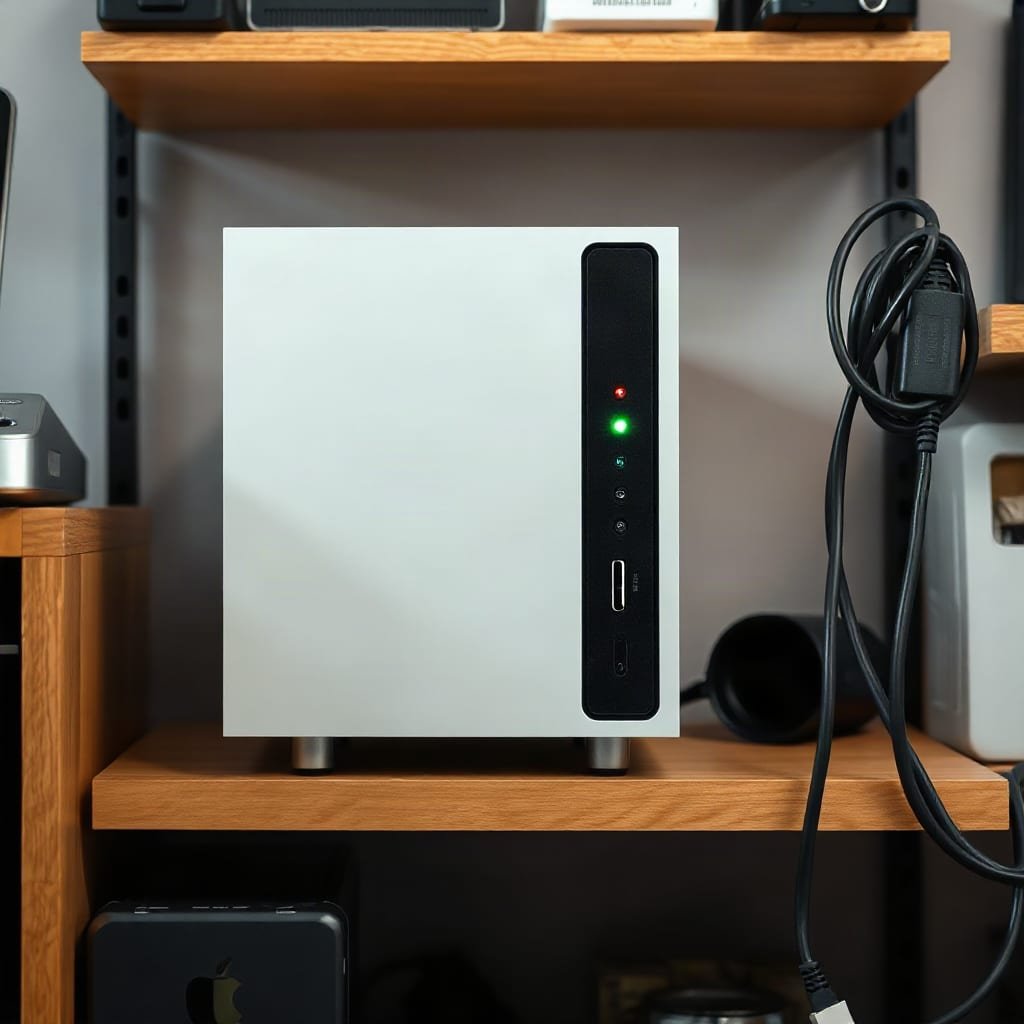
    A small server on an office shelf with glowing indicator lights and a network cable.

    You have three realistic options. Here's an honest comparison.

    Option Cost Works well when Breaks when
    Spreadsheet Free One person, under 30 deals Two people edit at once, or you need history
    Free tier of a hosted CRM Free to start You're testing the idea You hit contact or feature limits, then pay per seat
    Self-hosted CRM with a sales board One-time license Several people, several brands, data you want to own You don't have anyone who can maintain a server

    My pick: start in a spreadsheet for two weeks to prove you'll actually use a pipeline, then move to a real board. The spreadsheet phase costs nothing and exposes whether your stages make sense. Moving too early means paying to organize a process you haven't defined.

    Be wary of "free" tools that charge per user the moment your team grows. If you want the full math on that, see how much a CRM costs per year for 10 users. And if you're weighing the one-time route, buying a CRM once instead of paying monthly lays out the trade-offs.

    What to Measure Once the Board Is Running

    Skip the dashboards. Track three numbers, reviewed weekly, for the first quarter.

    • Stage-to-stage conversion. What share of deals move from one stage to the next? The biggest drop is your biggest problem. Fix that stage before touching anything else.
    • Cycle length. Days from first contact to decision. This feeds your stall limit and your cash-flow planning.
    • Average deal size. Watch it by source. A channel that sends many small deals and one that sends few large ones need different handling.

    Research from Harvard Business Review on sales performance has long pointed to disciplined, consistent process as a separator between stronger and weaker teams, and the weekly review is where that discipline lives. Fifteen minutes, same time each week, one question per stalled deal: what is the next step, and who owns it?

    If you run more than one brand, keep the boards separate or at least filterable by brand, or your conversion numbers will blur two different businesses together. One CRM or separate CRMs for each brand gives a clear rule for deciding.

    Get a Sales Board You Own, With No Per-User Fees

    Everything above works in a spreadsheet until it doesn't: the second person joins, the second brand appears, or you want chats, emails and form submissions sitting on the same record as the deal. Replacrm is a self-hosted CRM with a built-in sales board, so your stages, deal values and customer history live in one place on your own server. It also pulls chats, tickets, forms, email and calls onto a single customer record, and keeps each brand's customers separate under one login.

    The license is a one-time payment starting at $1,495, with unlimited users, brands and customers. There are no seats to count and no monthly renewal. The honest caveat: self-hosted means you run it. You need a server and someone comfortable maintaining it, and if that's not you, a hosted tool may suit you better despite the recurring fee. Check the spec sheet against your needs before you buy.

    Frequently Asked Questions

    How many stages should a small business sales pipeline have?

    Five or six. Fewer than four hides where deals stall; more than seven means people stop updating the board. Add a stage only when you can name a specific bottleneck it solves.

    How do you build a pipeline in sales if you have no history?

    Map the path of your next five deals as they happen, and write down each buyer action that moved them forward. Use those actions as stage exit rules, then revise after you've closed ten or so deals.

    What is the 3-3-3 rule in sales?

    It's a loose cadence rule with several versions, commonly read as three seconds for a hook, three minutes for a pitch and three follow-ups. Treat it as a habit for outreach discipline, not as a way to structure your pipeline.

    What are the 7 steps of a sales process?

    Prospecting, preparation, approach, presentation, handling objections, closing and follow-up. These describe what a salesperson does, so they work for training but not as pipeline stages, which should track what the buyer does.

    Can I run a sales pipeline for free?

    Yes. A shared spreadsheet works for one person and under about 30 deals. Free CRM tiers exist too, but check contact limits and what happens to pricing when you add team members.

    Sources

  • Vtiger Self Hosted: What You Install, Run, and Pay For

    Vtiger Self Hosted: What You Install, Run, and Pay For

    Vtiger self hosted means downloading the open source edition and running it on your own PHP and MySQL server. The code is free. The running is not. You take on installation, security patches, backups and upgrades, and the open source edition is not the same product as the paid hosted plans. Choose it only if someone on your team will maintain a server for years.

    TL;DR:

    • Vtiger self hosted is the community open source edition on your own LAMP-style server. It is not the paid cloud product, and features can differ between them.
    • The license fee is $0. The real cost is your hours: plan on a few hours to install and a few more every quarter to patch, back up and test restores.
    • Old releases were built for older PHP versions. Running unsupported PHP on a server that holds customer data is the biggest risk in this setup.
    • GitHub, GitLab and "download" pages are not equal. Pull from the official repository or release page and treat every other copy as a fork until proven otherwise.
    • If you want to own your data but not babysit a stack, a one-time-license self-hosted CRM with support for multiple brands is a safer pick than a community edition you patch yourself.

    Table of Contents

    Vtiger Self Hosted: What You Actually Install, and What the License Says

    Vtiger publishes an open source edition of its CRM. You download it, put it on a web server, point it at a database, and run the installer. That is what "Vtiger self hosted" means. You get a PHP application, a MySQL or MariaDB database, and a browser login at a URL you control.

    You do not get a login page hosted by anyone else. There is no central account. If you lose the server, you lose the CRM unless you made backups.

    The edition is community supported. That means forums and documentation, not a support contract. The hosted plans are a different product with their own feature set, so compare the feature lists before you assume the two match.

    On licensing, the open source edition ships under the Vtiger Public License, which is derived from the Mozilla Public License and carries attribution terms. Read the license file inside the download yourself. The Open Source Initiative keeps the reference list of approved open source licenses, which is a useful place to check what a given license permits. Do not assume "open source" means "no strings."

    GitHub, GitLab, and the Download Page: Which Copy to Trust

    Most people searching for Vtiger self hosted land on a code repository first. That is fine. Just know what you are looking at.

    Where you look What you usually find What to check
    Official GitHub repository Source code and tagged releases Use a tagged release, not whatever is on the main branch
    GitLab results Mirrors, forks, personal copies Who owns it, and when it was last updated
    Official download page Packaged release you can unzip and upload Version number against the release notes
    Third-party "free download" sites Repackaged archives Skip them. A CRM holds your customer list

    A CRM install is a login page in front of your customer list. Never run code you pulled from a site you could not name.

    Our rule is simple. Download once from the official source, record the version, and write down the checksum if one is published. Every fork you did not vet is a code review you did not do.

    What Your Server Needs, and the PHP Problem

    The stack is familiar: a web server (Apache or Nginx), PHP with a list of required extensions, and MySQL or MariaDB. A small VPS handles a small team fine. The hardware is not the problem.

    PHP is.

    Older Vtiger releases were written for older PHP versions. The PHP project's supported versions page shows when each branch stops getting security fixes. PHP 7.4, for example, reached end of life in November 2022. Anything past that date on 7.4 is running with known holes that will never be patched upstream.

    If your release only runs on a PHP branch that has reached end of life, you are choosing between a broken app and an unpatched server.

    That is the trade-off nobody puts in a install guide. You have three options:

    • Run the supported PHP version. Check the release notes for the exact range and match it.
    • Isolate the old version. Run it in a container or separate VM, with no other apps on it and tight firewall rules.
    • Skip the release. Pick a different CRM that runs on a current PHP branch.

    The OWASP Top 10 lists vulnerable and outdated components as its own risk category. A stale PHP runtime is exactly that.

    Installing It in an Afternoon, Then Keeping It Alive for Years

    Two colleagues beside an open server in a small equipment room, one holding a screwdriver while the other points at a component.

    The install is the easy part. You can do it in an afternoon.

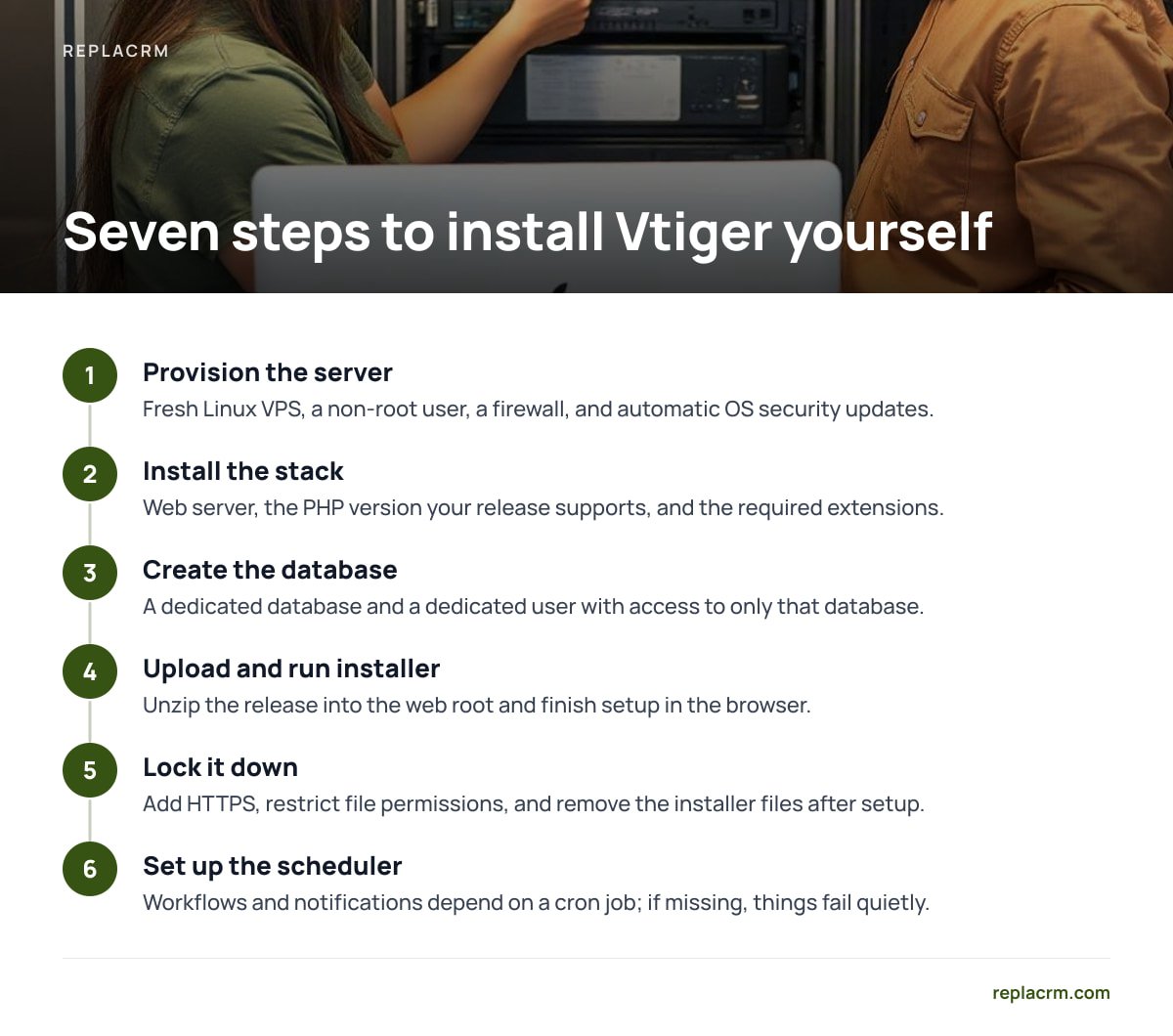
    1. Provision the server. A fresh Linux VPS, a non-root user, a firewall, and automatic OS security updates.
    2. Install the stack. Web server, the PHP version your release supports, and the required extensions.
    3. Create the database. A dedicated database and a dedicated user with access to only that database.
    4. Upload and run the installer. Unzip the release into the web root and finish setup in the browser.
    5. Lock it down. Add HTTPS, restrict file permissions, and remove the installer files once setup is done.
    6. Set up the scheduler. Workflows and notifications depend on a cron job. If it is missing, things fail quietly.
    7. Schedule backups. Database dump plus the storage folder, copied off the server.

    The afternoon ends here. The years start.

    Every few months you will check for a new release, read the notes, test the upgrade on a copy, and apply it. Add-ons and custom modules can break on upgrade. The more you customize, the more each update costs.

    Pro Tip: Test a restore, not just a backup. Once, right after install, spin up a second cheap server and rebuild the CRM from your backup files. If you cannot get a working login in under an hour, your backup plan is a hope, not a plan. Do it again every time you change PHP versions.

    Seven steps to install Vtiger yourself: 1. Provision the server; 2. Install the stack; 3. Create the database; 4. Upload and run installer; 5. Lock it down; 6. Set up the scheduler

    The Real Cost of Vtiger Self Hosted: Hours, Not License Fees

    The license is $0. That is the number every comparison page leads with, and it is the least useful number in the whole decision.

    Cost line Open source on your server Paid hosted plan One-time-license self-hosted CRM
    License $0 Recurring, usually per user per month One payment
    Server You pay, and you run it Included You pay, and you run it
    Security patches You apply them Vendor applies them You apply updates
    Support Community Plan dependent Included with license terms
    Cost grows with headcount No Yes No

    Look at the bottom row. The open source edition and a one-time license both avoid per-seat growth. The difference is who does the maintenance and who answers when something breaks.

    Put a price on your own time. If you or a contractor spend six hours a quarter on patching, backups and upgrade testing, that is 24 hours a year. At any hourly rate that is real money, and it comes due whether or not anything goes wrong. For more on the full ledger, see our breakdown of what you own, what you run, and what it costs.

    There is also a legal side. Under the General Data Protection Regulation, Article 32 requires appropriate technical and organizational security measures for personal data. When you self-host, you are the one who has to show you did it. Patching, access controls and tested backups are the evidence.

    Login, Demo, and NextGen: Three Searches That Send You to the Wrong Place

    Three related searches confuse more people than any install step.

    • Vtiger login. On a self-hosted install, the login lives at your own domain. There is no shared sign-in page. Searching for one usually lands you on the hosted product's login, which will not accept your credentials.
    • Vtiger CRM demo. The public demos are mostly of the hosted product. They are fine for learning the layout. They tell you little about what the open source edition includes. Test on a throwaway VM.
    • Vtiger NextGen. This usually refers to the newer hosted product line. Do not assume its features exist in the open source download. Look for them in the release notes before you plan around them.

    The general pattern: when marketing pages and the community code do not match, the code is the truth.

    Who Should Self-Host Vtiger, and Who Should Skip It

    Here is my position. Self-host Vtiger open source if three things are true. You have a developer or sysadmin who enjoys this work. You want to modify the CRM's code. And you can commit to patching on a schedule. Under those conditions it is a capable, flexible tool and the $0 license is a real advantage.

    Skip it if you are an owner who just wants to stop paying per seat. For you, the maintenance is a second job. Forum and Reddit threads on the subject tend to circle the same themes: upgrades that break add-ons, version confusion, and whether anyone is still maintaining the piece you need. Read a few before you commit. Treat them as warnings about effort, not verdicts on the software.

    If you run several brands, add one more test. A CRM that keeps each brand's customers separate under one login saves you from running three installs. Our guide on one CRM or separate CRMs for each brand gives a clear rule. And if you are weighing the whole category, what a self-hosted CRM is and why it beats per-seat pricing covers the case without the code.

    One more thing to plan for: exit. Know how you would export your data if a project stalls. What happens to your data if a CRM vendor shuts down walks through it. Self-hosting helps here, because the database is yours. But only if you can read it.

    Before you install anything, search the National Vulnerability Database for the product name and your target version. Ten minutes of reading tells you what has been found, and what has been fixed.

    Get a Self-Hosted CRM You Pay for Once and Run on Your Own Server

    If the part of Vtiger self hosted you like is owning your data, and the part you dread is patching a community stack, that is the gap Replacrm fills. It is a self-hosted CRM sold for a one-time payment, from $1,495. No per-user fees. Unlimited brands, users and customers. Chats, tickets, forms, email and calls land on one customer record, each brand's customers stay separate, and you get a sales board, customer self-booking, e-signing, and calling and texting. It also connects to ReplaChat and ReplaTicket.

    One honest limit. It still runs on your server, so you are still responsible for hosting, backups and applying updates. You are not buying a managed service. Moving from Vtiger also means exporting and importing your records, so check the spec sheet for what carries over before you buy.

    Frequently Asked Questions

    Is Vtiger self hosted free?

    The open source edition has no license fee, but running it is not free. You pay for a server and for the hours spent on installation, security patches, backups and upgrades. Add-ons or custom work add to that.

    Is the open source edition the same as the paid Vtiger CRM?

    No. They are separate editions and their feature sets can differ. Check the release notes of the open source download rather than relying on the hosted product's demo or marketing pages.

    What server do I need to run Vtiger on my own?

    A Linux server with a web server, PHP with the required extensions, and MySQL or MariaDB. A small VPS is enough for a small team. The key detail is matching the PHP version your release supports, and not running a branch that has reached end of life.

    Where do I download Vtiger safely?

    Use the official repository or the official download page and install a tagged release. Treat GitLab copies, mirrors and third-party download sites as unverified forks. Record the version and checksum if one is published.

    Can I use Vtiger self hosted for several brands?

    You can, but the open source edition is not built around keeping each brand's customers cleanly separate under one login. You may end up running separate installs. Check your needs against the release notes before you start.

    Does self-hosting make me responsible for GDPR security?

    If you hold personal data of people in the EU, you are a controller or processor either way. Article 32 requires appropriate security measures, so when you self-host you are the one who must apply patches, control access and test backups.

    Sources

  • What Happens to Your Data If Your CRM Vendor Shuts Down

    What Happens to Your Data If Your CRM Vendor Shuts Down

    What happens to your data if your CRM vendor shuts down depends on how the vendor goes. An orderly sunset usually gives you weeks to export. A bankruptcy or sudden collapse can lock you out while your records sit in a stranger's hands. Owning the data on paper doesn't help if you can't reach it, so the real question is access, not ownership.

    TL;DR:

    • Four scenarios exist (orderly sunset, acquisition, bankruptcy, sudden outage), and your window to get data out runs from months to zero.
    • Legally the data is yours. Practically, you only have what you can still log in and download.
    • Contracts commonly give you 30 to 90 days after termination, but you have to read yours. The vendor's own deletion schedule may be shorter.
    • A CSV export drops activity history, attachments, call recordings, record IDs and relationships. Pull those too.
    • The only way to remove vendor-shutdown risk is to hold the database yourself, on a server you control.

    Table of Contents

    What Happens to Your CRM Data When a Vendor Shuts Down, by Scenario

    Not all shutdowns are equal. Your data's fate depends on which of these four you get.

    Scenario What happens to your data Typical window Your best move
    Orderly sunset Vendor announces an end date, keeps export tools running, then deletes Weeks to months Export everything the day you hear
    Acquisition Buyer migrates you, changes terms, or retires the product Often 6-12 months, sometimes less Read the new terms, then export anyway
    Bankruptcy or liquidation Data becomes part of a legal process; servers may be switched off for unpaid hosting bills Unpredictable, can be days Export now; don't wait for notice
    Sudden outage or account suspension Logins fail, API stops, support goes quiet Zero Restore from your own backup

    The first two are the common ones. The last two are the ones that hurt.

    Here is my view: treat every vendor announcement as the start of the clock, and every silence as the same thing. If your CRM's blog goes quiet and support tickets stop getting answered, don't wait for the email.

    Who Owns Your CRM Data, and Why Owning It Isn't Enough

    You own your customer records in almost every vendor contract. The vendor holds a license to process them. That part is simple.

    The hard part is that ownership gives you no login. If the servers go dark, a clause saying "Customer retains all rights" does nothing for you.

    Privacy law helps less than people assume. Under the GDPR, your CRM vendor is typically a processor, and Article 28(3)(g) of the regulation requires that, at your choice, it deletes or returns personal data when the services end. That is a duty to return, written into your data processing agreement. It is not a self-serve download button. The GDPR's Article 20 portability right belongs to the individual people in your database, not to you as the business customer.

    The EU's Data Act adds a more direct tool. Regulation (EU) 2023/2854 has applied since September 12, 2025, and sets switching rules for cloud and data processing services, including a maximum two-month notice period and a 30-day transition window. It matters if you or your vendor operate in the EU. It does not help if the vendor is already insolvent.

    In the US, bankruptcy changes the picture. Section 363(b)(1) of the Bankruptcy Code adds a check when a company's privacy policy promised not to transfer personal information. A sale then generally needs review by a consumer privacy ombudsman. Whether your customer list counts as the vendor's asset or yours is murky, and it turns on your contract. You don't want to learn that in court.

    Two months' notice and 30 days of transition: that is the most the EU Data Act's switching rules guarantee you when a provider is still operating. If it isn't, you get nothing.

    How Long Companies Keep Your Data After a CRM Shutdown

    An hourglass with most of its sand run to the bottom, resting on a desk beside a closed laptop.

    There is no universal number. It depends on three things.

    • Your contract. Many SaaS agreements set a post-termination retention period, commonly somewhere between 30 and 90 days, after which they delete the data. Find the clause titled something like "Return and Deletion of Customer Data."
    • Legal holds and bankruptcy. If a vendor enters insolvency, a trustee may preserve its systems and records for far longer than your contract says. That doesn't mean you can get at them.
    • Backups. Deleted data often lingers in backups for weeks after it disappears from the live system. Don't count on this. It is a leftover, not a service.

    The GDPR points the other direction for the vendor: it can't keep your customers' personal data forever "just in case." Unless a law requires retention, a processor should delete or return it when the service ends. If you want to know whether that happened, ask for written confirmation of deletion.

    What the Consequences of CRM Data Loss Actually Look Like

    A worried shop owner behind a counter with a hand on their forehead as a customer waits in front of them.

    People picture lost contacts. The real damage is wider.

    • Lost context. You still have a name and an email, but not the three-year thread, the quote that was promised, or the note saying this client hates phone calls.
    • Stalled revenue. Open deals vanish from your pipeline. Renewals you'd have caught slip by.
    • Broken workflows. Booking links, form handlers, and email automations that point at the old system fail without warning.
    • Legal exposure. Under the GDPR, a "personal data breach" includes accidental loss or destruction of personal data. That is Article 4(12). If the loss is likely to put people at risk, you generally must notify your supervisory authority within 72 hours of becoming aware.
    • Lost trust. Customers who ask what you know about them, or what you did with it, expect an answer. "My vendor went under" is true and useless.

    72 hours. Under GDPR Article 33, that is the notification deadline after you become aware of a reportable breach, and accidental loss of customer data can qualify.

    What a CSV Export Misses, and What to Pull Before the Switch Goes Off

    The obvious advice is "export your data to CSV." It is not wrong. It is just far from enough.

    A flat file captures rows. It does not capture how those rows relate to each other, or what happened to them.

    What a standard export usually drops

    • Activity history. Emails, call logs, chat transcripts and notes often sit in a separate export, or have none.
    • Attachments and recordings. Contracts, PDFs and call audio are typically stored as links that die with the vendor.
    • Record IDs and relationships. Which contact belongs to which company and which deal. Without IDs, a re-import can't rebuild those links.
    • Custom fields and pipeline stages. The labels that made your process yours.
    • Consent and opt-out records. If you lose these, you may email people who unsubscribed. That is a compliance problem, not an inconvenience.

    Pro Tip: Keep the vendor's original record IDs as a column in whatever system you move to, even if you never expect to use them. Invoices, support tickets, and old email threads often reference those IDs. Months after the move, they are the only way to tie an orphaned document back to the right customer.

    The restore test most people skip

    An export you've never imported is a guess. Load it into a blank system once. Count the records. Open ten at random. If the count or the content is off, you've found it while you still have time to fix it.

    How to Recover From CRM Data Loss, Step by Step

    If the data is already gone or the vendor is unreachable, work this list in order.

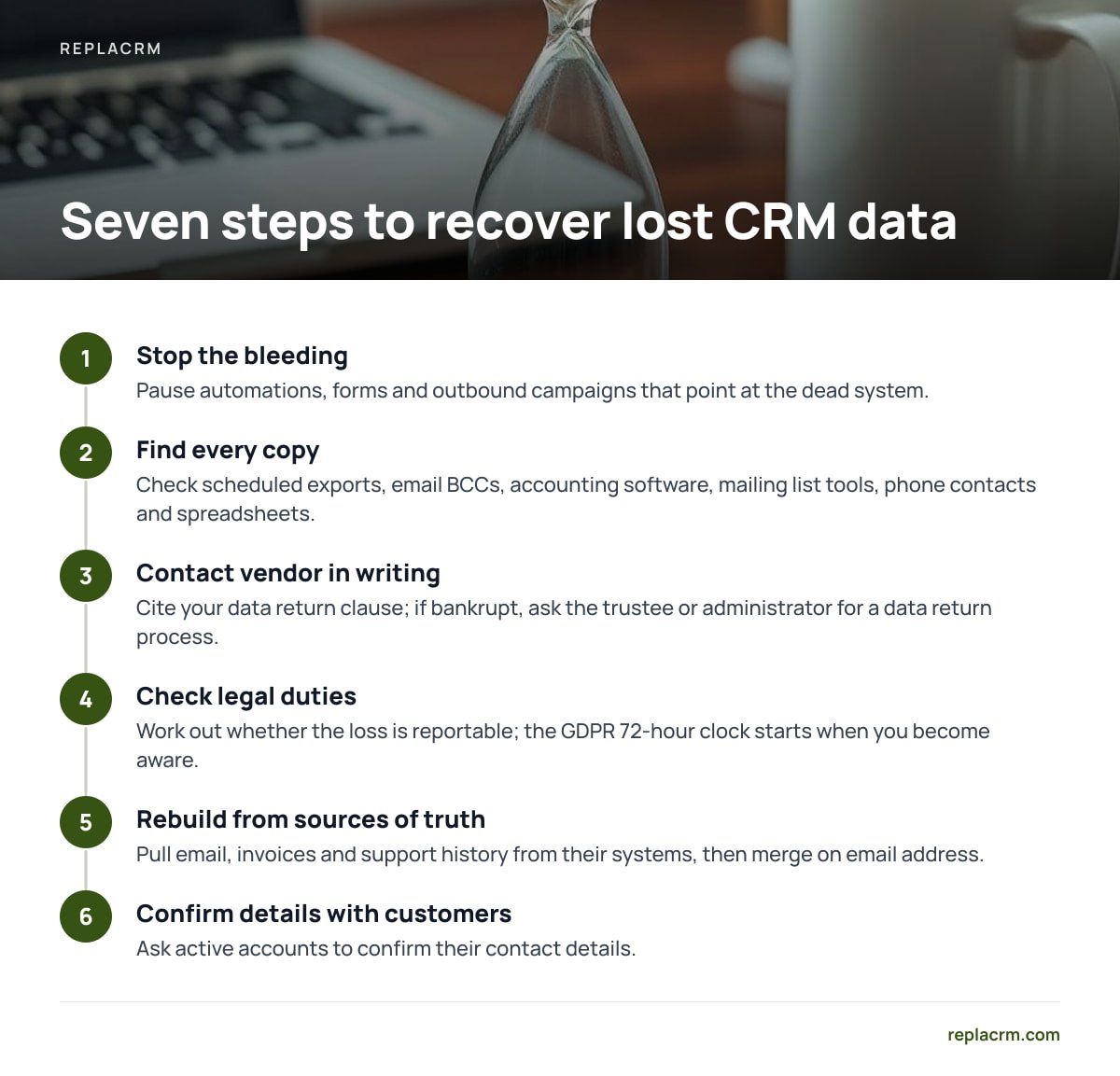
    1. Stop the bleeding. Pause automations, forms and outbound campaigns that point at the dead system. Sending half-broken email is worse than sending none.
    2. Find every copy. Look for scheduled exports, email BCCs, accounting software, mailing list tools, phone contacts, and spreadsheet "just in case" files. Your team has more copies than you think.
    3. Contact the vendor or its administrator in writing. Cite your data return clause. If there's a bankruptcy, find the trustee or administrator and ask for a data return process in writing.
    4. Check your legal duties. If personal data was lost, work out whether it's reportable. The 72-hour clock in the GDPR starts when you become aware, not when you finish investigating.
    5. Rebuild from the sources of truth. Pull email history from your mail server, invoices from accounting, support history from your help desk. Merge on email address.
    6. Tell customers what you need. Ask active accounts to confirm contact details. It's awkward. It also works.
    7. Move to a setup you control and take a backup the same day.

    Recovery usually gets you most of the way, rarely all of it. Notes and deal context are the hardest to rebuild, because they existed only in the CRM.

    Seven steps to recover lost CRM data: 1. Stop the bleeding; 2. Find every copy; 3. Contact vendor in writing; 4. Check legal duties; 5. Rebuild from sources of truth; 6. Confirm details with customers

    Shutdown-Proofing a CRM Before There's a Shutdown to Survive

    Two coworkers in a small server closet connecting a cable to an external backup drive.

    I'd pick one of two paths, and I'd pick the second.

    Path one: stay on SaaS and export on a schedule. Run a full export monthly, including activity and attachments. Store it somewhere the vendor can't touch. Test a restore twice a year. It works, but it relies on discipline, and the export tool can be removed the day you need it.

    Path two: hold the database yourself. If the data sits on a server you control, a vendor shutdown becomes a software problem, not a data problem. The records, the history and the attachments are already in your hands. Backups are still your job, but backups of your own database are far easier than negotiating with an administrator.

    Self-hosting isn't free of work. If you're weighing it, what free open source covers and doesn't is a fair look at the trade, and the real monthly cost of hosting a CRM on a VPS shows the numbers. If you run several brands, how to keep each brand's customers separate matters before you move anything.

    Get a CRM Whose Data Lives on Your Server, Not Ours

    The problem in this article is simple. Your customer records sit on someone else's servers, so someone else's failure becomes yours. Replacrm removes that dependency. It is a self-hosted CRM you run on your own server. Chats, tickets, forms, email and calls land on one customer record, kept separate for each brand under a single login. Your database, your backups, your schedule. The license is a one-time payment starting at $1,495, with no per-user fees. If you want the full math, see what buying a CRM once really costs.

    There is a limit. Self-hosting moves the risk instead of erasing it. You are responsible for the server, the backups and the updates, and if we ever stopped shipping updates, your copy would keep running but wouldn't improve. Read the license terms before you buy, and test a backup restore in your first week.

    Frequently Asked Questions

    What happens to my data if my CRM vendor shuts down?

    It depends on whether the shutdown is orderly or abrupt. In an orderly sunset you typically get weeks or months to export, while in a bankruptcy or sudden outage you may get no warning and no access. Export your full data, including history and attachments, as soon as you hear of trouble.

    How long do companies keep my data after a CRM shutdown?

    It varies by contract, and many agreements set a retention window of roughly 30 to 90 days after termination. Backups may hold deleted data a little longer, and an insolvency process can preserve records for much longer, but you shouldn't count on being able to access them. Check your deletion clause and ask for written confirmation when it's done.

    What are the consequences of data loss for a business?

    You lose customer context, open deals and automated workflows, and you may miss renewals. If the lost data includes personal data of people in the EU, the GDPR treats accidental loss as a personal data breach that may need to be reported within 72 hours. Customer trust is the slowest thing to rebuild.

    What steps can an organization take to recover from data loss?

    Pause automations, locate every copy you hold elsewhere, and contact the vendor or its administrator in writing, citing your data return clause. Then rebuild from email, accounting and support systems, and check whether you must notify a regulator. Finish by moving to a system you control and taking a backup the same day.

    Is a CSV export enough to protect my CRM data?

    No. A CSV usually drops activity history, attachments, call recordings, record IDs, relationships between records and consent flags. Export those separately, and test the file by importing it into a blank system.

    Sources

  • A HubSpot Alternative You Can Host Yourself: What to Pick

    A HubSpot Alternative You Can Host Yourself: What to Pick

    A good alternative to HubSpot that you can host yourself falls into one of two camps: open-source CRMs you download free and maintain yourself, or commercial CRMs sold as a one-time license that you install on your own server. The first is cheapest on paper and costs the most in your time. The second costs real money once, then nothing per user. HubSpot itself cannot be self-hosted at all.

    TL;DR:

    • HubSpot is cloud-only. If you want to host your CRM yourself, you have to leave it, not configure it.
    • Self-hosted options split into free open-source projects and paid one-time licenses. Pick based on who will maintain the server.
    • Open source is free to download, but you pay in setup hours, security patching, and missing features.
    • Per-seat SaaS pricing compounds as you add people. A one-time license flattens that curve.
    • Match the tool to the job: marketing automation, support-led CRM, and multi-brand sales each point to a different pick.

    Table of Contents

    Why You Can't Self-Host HubSpot, and What That Rules In

    HubSpot runs only as a hosted service. There is no downloadable edition, no on-premise license, and no way to put its database on your own hardware. So "self-hosted HubSpot" is not an option you can configure your way into. You are choosing a replacement.

    That is worth knowing before you spend a weekend comparing feature lists. Every tool on a self-hosted shortlist is a different product with a different data model, and your contacts, deals, and notes will need to be exported and mapped into it. Plan for that migration first. The tool choice comes second.

    The Two Kinds of Self-Hosted CRM

    Most self-hosted CRMs fall into one of two groups, and the difference matters more than any feature.

    Open-source projects

    You download the code, install it on a server, and run it. The license cost is zero. Projects like SuiteCRM (a CRM suite) and Mautic (marketing automation) sit here. If you want a deeper look at what "free" does and does not cover, see our guide to self-hosted open source CRM.

    One-time-license commercial software

    You pay once, install it on your own server, and keep it. There is no per-user fee and no monthly charge to the vendor. You still pay for hosting, but the software itself does not bill you again. Our breakdown of buying a CRM once walks through what that looks like over several years.

    Hosting is the cost people forget. A small VPS that runs a CRM comfortably usually costs a few dollars to a few tens of dollars a month, depending on traffic and storage.

    What You Can Do With HubSpot's Free Version

    The free tier is genuine, and you should know its ceiling before you decide it is not enough. HubSpot's free CRM gives you contact and company records, a deal pipeline, task tracking, basic email tracking and templates, live chat, and simple reporting.

    What it holds back is the useful part of scale. Automation, custom reporting, and removal of HubSpot branding sit behind paid tiers, and the paid tiers price per seat. The free plan is a good trial. It is a poor place to build a business on, because your data and workflows live in a system whose pricing you do not control.

    What Is Better Than HubSpot? It Depends on What You Hate About It

    "Better" has no single answer. It depends on which problem sent you searching. Here is how I would sort it.

    Your main frustration Best-fit direction Trade-off
    Per-seat bills keep growing One-time-license self-hosted CRM Higher upfront cost, you manage the server
    You mainly need email and campaign automation Open-source marketing automation (Mautic) Not a full sales CRM on its own
    You want a broad, free sales CRM Open-source suite (SuiteCRM) Heavier setup, dated interface, you patch it
    You want a cheaper hosted CRM, not self-hosted A lower-priced SaaS tool (Freshsales) Still renting, still per-seat
    You run several brands and must keep customers apart Multi-brand self-hosted CRM Fewer marketing extras

    Notice that one of those rows is not self-hosted at all. A cheaper cloud CRM solves the price problem but not the ownership problem. If your goal is to control where customer data lives, skip it.

    The Open-Source Route: Free, With Fine Print

    A technician's hands connecting a network cable to a small server on a shelf.

    Open source is the right pick when you have someone technical who enjoys running servers and you genuinely need the cost to be zero. It is the wrong pick when the "someone technical" is you at 11 p.m. on a Sunday.

    Here is what the license does not include:

    • Setup time. Expect hours to days to install, configure email, and connect backups. A plain-language comparison of open-source CRM options will save you from picking by name recognition.
    • Security patching. You own updates. An unpatched public-facing CRM holding customer records is a real liability. The OWASP Top 10 lists the common web application risks you are now responsible for watching.
    • Feature gaps. Calling, texting, e-signing, and booking are often separate plugins or paid add-ons rather than built in.
    • No one to call. Community forums help, but nobody owes you a fast answer.

    Pro Tip: Before committing to any self-hosted CRM, run an export from HubSpot and import it into a throwaway test install. Check that deal stages, custom properties, and email history survive. Teams that skip this find the mapping problems after they have already canceled.

    The One-Time-License Route: Pay Once, Own the Install

    A hand turning a brass key in the lock of a metal cabinet.

    A commercial self-hosted license suits owners who want the ownership benefits without becoming a systems administrator. You get a supported product, a defined feature set, and no seat counter.

    The math is the argument. Per-seat pricing scales with headcount, so a team of ten pays ten times what a team of one does, every month, forever. Our ten-user CRM cost breakdown puts real numbers on that. A one-time license replaces that recurring line with a single purchase plus modest hosting. If you want to price the hosting side, here is what a VPS actually costs.

    At ten users, a per-seat plan priced at $50 a seat comes to $6,000 a year. A one-time license pays for itself inside the first year or two.

    The downside is real. You front the cost, you still maintain the server, and a smaller vendor means a smaller ecosystem of third-party integrations than a platform with thousands of app listings.

    Does HubSpot Host Websites, and Can You Start Without One?

    Two questions come up constantly, so here are straight answers.

    Does HubSpot host websites? Yes. Its CMS Hub product hosts and builds websites, and it is a paid product separate from the free CRM. If you leave HubSpot for a self-hosted CRM, your site is a separate decision. A CRM does not need to host your website, and keeping the two apart makes switching easier later.

    How do you create a HubSpot account without a website? Sign up with an email address and your company details. A website is not required to open an account or use the free CRM. You can add contacts manually, import a spreadsheet, or connect an inbox. The tracking code only matters if you want to monitor site visitors later.

    How to Pick, and What I Would Choose

    Two colleagues talking at a table in a small office with a closed laptop and a mug between them.

    Start with the honest question: who maintains this server in two years? If the answer is "nobody in particular," lean toward a commercial license with support. If the answer is "our developer, who likes it," open source can be a good fit.

    My own ordering, by situation:

    • One technical owner, tight budget: SuiteCRM for a full CRM, plus Mautic only if email automation is central.
    • Several brands, non-technical team: a one-time-license CRM that separates customers by brand. Our guide to keeping customers separate across businesses explains why a single shared contact list causes problems.
    • You want cheaper but do not care where data lives: a lower-cost SaaS CRM. It is a fine choice. It is just not the one you asked about.

    Get a Self-Hosted CRM You Pay for Once and Keep

    If per-seat bills are what pushed you to look at hosting your own CRM, Replacrm is built for that exact problem. It is a self-hosted CRM sold as a one-time license starting at $1,495, with no per-user fees and unlimited users, customers, and brands. Chats, tickets, form submissions, email, and calls land on a single customer record, and each of your businesses keeps its customers separate under one login. A sales board, customer self-booking, e-signing, and calling and texting are included. It also connects with ReplaChat and ReplaTicket.

    One caveat. You run it on your own server, so you are responsible for hosting, backups, and updates, and it does not include a marketing automation suite or a large app marketplace. If heavy campaign automation is your main use, pair it with a dedicated tool or choose differently. Check the feature list against your actual workflow before you buy.

    Frequently Asked Questions

    Can you self-host HubSpot?

    No. HubSpot is offered only as a cloud service, with no downloadable or on-premise edition. If you want to host your CRM yourself, you need to move to a different product.

    What is a good free HubSpot alternative I can host myself?

    SuiteCRM is a common open-source choice for a full sales CRM, and Mautic is a common choice for marketing automation. Both are free to download, but you pay in setup time, server costs, and ongoing maintenance.

    Is self-hosting a CRM cheaper than HubSpot?

    Often, once your team grows. Per-seat plans scale with headcount, while a self-hosted option typically costs a one-time license or nothing, plus hosting. Factor in your own time for maintenance before assuming the savings are total.

    Do I need a website to use HubSpot?

    No. You can create an account and use the free CRM with just an email address and company details. A website is only needed if you want visitor tracking or forms embedded on your pages.

    What do I give up by self-hosting my CRM?

    You take on responsibility for server uptime, backups, and security updates. You may also lose some of the integrations and polish of a large SaaS platform.

    Sources

  • One CRM or Separate CRMs for Each Brand? A Clear Rule

    One CRM or Separate CRMs for Each Brand? A Clear Rule

    Should you use one CRM or separate CRMs for each brand? Use one CRM with hard walls between brands, unless your brands are separate legal entities with different owners, regulators, or sale plans. One install saves seats and gives shared staff a single login. Separate systems only pay off when customer data must never sit side by side.

    TL;DR:

    • Default to one CRM with enforced brand separation. Do not default to one shared pile of contacts.
    • Choose separate CRMs when brands have different owners, regulated data, or a sale on the horizon.
    • Per-seat pricing punishes the split. Staff who work across brands need a paid seat in every system.
    • Check customer overlap before you decide. If the same buyers purchase from several brands, separate systems hide your best customers.
    • The "top CRM tools" question is really about five types of tool. Match the type to your brand structure first, then pick a product.

    Table of Contents

    One CRM or Separate CRMs for Each Brand: The Rule I'd Use

    A person's hand resting on a small server on a shelf in an office closet.

    Pick one CRM unless a specific reason forces you apart. I would pick one CRM in most multi-brand small businesses, and I would build the walls inside it.

    Here is the rule. Run a single CRM when all of these are true:

    • Same owner. The people who own the brands are the people who see the data.
    • Shared staff. At least one person (you, a support lead, a bookkeeper) touches more than one brand.
    • No regulatory split. No brand holds data under stricter rules than the others.
    • No near-term sale. You do not plan to sell one brand in the next two years.

    Miss any one of those and the case for separate systems gets real. Miss two and I would split them.

    The mistake is treating this as a software question. It is a data-boundary question. Decide where your boundaries are, then choose the tool that can enforce them.

    What "One CRM" Actually Means: Walls Inside, Not a Shared Pile

    Hands opening one of three wooden drawers in a single cabinet.

    One CRM does not mean one list of contacts. That is the version people fear, and they are right to fear it.

    A well-run single CRM holds each brand as a separate space. Brand A's customers, deals, tickets, and email history are invisible to a person who only works Brand B. One login gets a person into the system. Their permissions decide what they see.

    Test any tool you are considering against this checklist:

    • Brand as a required field. Every contact, deal, and conversation carries a brand. It is never optional.
    • Per-brand permissions. A staff member can be limited to one brand or several.
    • Per-brand sending identity. Email, texts, and calls go out under the right brand name and address.
    • Per-brand exports. You can pull one brand's data out cleanly without touching the others.

    If a tool cannot do the last one, you are not buying a multi-brand CRM. You are buying a single-brand CRM with a tag field.

    When Separate CRMs Are the Right Call

    A person arranging coins into separate piles beside a closed laptop on a desk.

    Separate systems earn their cost in four cases.

    If two brands are separate companies, each is typically its own data controller. Under the EU General Data Protection Regulation, personal data must be collected for specified, explicit purposes and not reused in an incompatible way (Article 5(1)(b)). Mixing two entities' customers in one database makes that line hard to prove.

    Purpose limitation, Article 5(1)(b) of the GDPR: data collected for one specified purpose cannot be quietly reused for an incompatible one.

    This is not legal advice. Ask your lawyer how your structure maps to the rule. But if the answer is "these are different controllers," split the systems.

    A brand you plan to sell

    A buyer wants a clean customer file. If Brand C's customers are tangled with Brand A's, you will spend the sale negotiating what is whose. A single CRM can still work here, but only if it exports one brand fully and cleanly. If you are not sure it can, go separate.

    Regulated or sensitive data

    A brand that stores health, financial, or children's information may need tighter access rules, audit trails, or hosting in a specific region. Isolating it in its own system is simpler than proving a permission setup is airtight.

    Different teams that never overlap

    If each brand has its own staff, its own owner, and no shared customers, you gain little from combining them. You also lose little from splitting them.

    What the Seat Math Does to Both Options

    Per-seat pricing is the hidden penalty on the split. Staff who work across brands need a seat in every system.

    Take a hypothetical business with three brands and six people. Two people (the owner and a support lead) work across all three brands. The other four are split two, one, and one across the brands. Assume $50 per seat per month, a common mid-market price point.

    Setup Seats you pay for Annual cost at $50/seat/month
    One CRM, brand walls inside 6 $3,600
    Three separate CRMs 10 $6,000

    Ten seats versus six. That is what splitting three brands across three CRMs costs when two people work across all of them.

    The gap grows with every shared person and every added brand. Our breakdown of what a CRM costs per year for 10 users shows how fast per-seat fees compound. A flat-license, self-hosted tool removes the penalty entirely, because it has no seats to count. We cover that model in buying a CRM once instead of paying monthly.

    Which Setup Fits Which Business: A Side-by-Side

    Use this table as a quick check. Find your row.

    Your situation My pick Why
    One owner, one legal entity, several brand names One CRM, brand walls Nothing legally separates the data
    One owner, separate LLCs, shared staff One CRM, brand walls, strict permissions Shared staff make the split expensive; confirm with your lawyer
    Same customers buy from multiple brands One CRM, shared customer record You can see the full relationship
    Plan to sell one brand within two years Separate, or one CRM with proven per-brand export A buyer needs a clean file
    Regulated data in one brand Separate for that brand Simpler to prove isolation
    Different owners or franchise partners Separate Each party should control its own data

    Notice what decides most rows. It is not features. It is who owns the data and who needs to see it.

    The Top 5 CRM Tools Are Really Five Types of Tool

    Searchers ask for "the top 5 CRM tools." I will not give you a brand parade, because a ranked list of names tells you nothing about whether a tool fits a multi-brand setup. The type matters more. Here are the five types worth knowing:

    • Enterprise platforms. Very large suites with deep customization, built for big sales organizations. They are CRMs, and the most famous one in this class is the answer to "is that a CRM?" Yes. What sets this class apart is scale and configurability, along with the consultants and admin time that usually come with it. For a ten-person company, that is often more tool than you can use.
    • Marketing-led suites. Strong on email, forms, and campaigns, usually priced per seat with tiers. They are a good fit if marketing drives your sales. See why these suites cannot be self-hosted if ownership matters to you.
    • Pipeline-first small-business tools. Light, visual, and quick to learn. They are good for one team tracking deals. Multi-brand support is often an afterthought.
    • Vertical CRMs. Built for one industry, such as leasing, real estate, or agencies. The fields match your workflow on day one.
    • Self-hosted CRMs. You run the software on your own server. You control the data and, with the right license, skip per-seat fees. For the free route, read what open-source CRMs cover and what they don't.

    Beyond product class, the standard split by function gives you three labels. Operational CRM automates sales, marketing, and service contact. Analytical CRM mines customer data for patterns. Collaborative CRM shares customer information across teams. Some lists add campaign management as a fourth. Most small businesses need operational first and analytical later.

    Why CRM Matters, and What It Means in Multifamily

    A CRM matters because customers do not respect your org chart. One person emails, chats, calls, and fills out a form, and each of those lands in a different place. A CRM puts them on one record so the next person who talks to that customer knows what happened.

    For a multi-brand owner, the stakes are higher. Without one record, you cannot tell that a "new" lead is a three-time customer of your other brand.

    What does CRM mean in multifamily? In apartment and property management, a CRM tracks prospects and residents instead of deals. It follows a person from first inquiry through tour, application, lease signing, and renewal. The fields differ from a standard sales tool: unit type, move-in date, pet policy, lease end. Many multifamily operators run several properties under different names, so the one-or-many question applies to them in the same way. The same rule holds. One system with each property walled off beats ten disconnected ones, unless ownership is separate.

    How to Decide and Set It Up in a Week

    Do these steps in order. Each takes about an hour.

    1. List your boundaries. For each brand, write the owner, the legal entity, the regulator, and who works on it.
    2. Count overlap. Export each brand's customer emails and see how many appear in more than one. Overlap tells you whether a shared record has value.
    3. Count seats. Use the table above with your real numbers.
    4. Write your brand rules. Decide what a brand A staffer can see about a brand B customer. Usually the answer is nothing.
    5. Set consent per brand. Store opt-ins and opt-outs by brand. The FTC's CAN-SPAM guide requires that you honor an opt-out request within 10 business days, and a clean per-brand record makes that provable.
    6. Know what data you hold. The NIST Privacy Framework treats inventory and mapping of data as a starting point, and a one-page map of what each brand stores is enough.
    7. Train by role. Vendor training videos teach features, not your brand rules. Record a ten-minute screen capture for each role showing your own workflow.

    Pro Tip: Test the walls before you import a single real customer. Create a fake user limited to Brand B, log in as them, and search for a Brand A customer by name, email, and phone number. Check global search, the unified inbox, and any export screen, because that is where separation usually leaks. If one fake record shows up anywhere, fix it before launch.

    Run Every Brand From One Self-Hosted CRM You Pay for Once

    The problem in this article is that splitting brands costs you seats, and merging them risks exposing data. ReplaCRM is built for that exact tension. It runs on your own server, supports unlimited brands, users, and customers, and keeps each brand's customers separate under one login. Chats, tickets, form submissions, email, and calls land on one customer record. A sales board tracks deals. Customers can book themselves. It integrates with ReplaChat and ReplaTicket.

    The license is a one-time payment starting at $1,495, with no per-user fees. That removes the seat penalty from the math above. One honest limit: you host it, so you handle the server, backups, and updates, and that has a cost. Our guide to what it costs to host a CRM on a VPS gives real monthly numbers. If you want someone else running the infrastructure, a hosted tool may fit better. Check the spec sheet against your own brand-separation checklist before you buy.

    Frequently Asked Questions

    Is it better to have one CRM or multiple CRMs for multiple brands?

    One CRM is better for most small multi-brand businesses, provided it enforces separation between brands. Separate CRMs make sense when brands have different owners, regulated data, or a planned sale.

    Can one CRM keep customer data separate for each brand?

    Yes, if the tool treats brand as a required field and applies permissions, sending identities, and exports per brand. Test it by logging in as a user limited to one brand and searching for another brand's customer.

    Does using separate CRMs cost more?

    Usually, with per-seat pricing. Anyone who works across brands needs a paid seat in every system. In a six-person example with three brands, separate systems required ten seats versus six.

    How is the largest enterprise CRM different from other CRMs?

    It is built for large sales organizations and offers deep customization, which usually means dedicated admin time and higher cost. Smaller tools trade that depth for speed and simplicity. A small business rarely needs the extra configurability.

    What does CRM mean in multifamily?

    It means tracking prospects and residents through inquiry, tour, application, lease, and renewal. Fields center on unit type, move-in date, and lease end rather than deal value.

    Sources

  • How to Keep Customers Separate for Each Business in One CRM

    How to Keep Customers Separate for Each Business in One CRM

    To keep customers separate for different businesses in one CRM, put each business behind its own permission boundary instead of just giving it a label. A tag or "brand" field tells you which business a contact belongs to. Anyone with access can still see, email and export that contact. Real separation means a user assigned to one brand cannot find another brand's customers in search, lists, reports, automations or exports.

    TL;DR:

    • A brand tag is a label, not separation. It does nothing to stop staff from seeing, emailing or exporting the wrong brand's customers.
    • The five common methods are tags, pipelines, team permissions, native brand partitions, and separate databases. Only the last three restrict access.
    • Native brand partitions inside one CRM are the right default for most multi-brand owners. Use separate databases only if you plan to sell a brand or the law forces it.
    • Do not merge a customer who buys from two of your brands into one record. Keep one record per brand so consent, notes and history stay where they belong.
    • Test your separation by logging in as a restricted user and searching for a customer you know belongs to another brand.

    Table of Contents

    Why a Brand Tag Is a Label, Not a Wall

    The most common advice for running several businesses in one CRM is to add a "Brand" field or tag and filter by it. That works for sorting. It does not keep customers separate. A tag is metadata that sits on the record. It decides nothing about who can open that record.

    Here is what a tag-only setup still allows. Your coffee roastery's part-time support hire can type a name into global search and pull up a client of your consulting firm. A bulk email built on the wrong saved filter goes to both customer lists. A CSV export grabs every contact in the system because exports usually ignore the filter you were looking at. None of this requires bad intent. It only takes one person who has access they never needed.

    Keeping customers separate is an access control problem. It is not an organization problem, and it should be solved the way security people solve access control. OWASP's Top 10 describes broken access control as users acting outside their intended permissions, which leads to unauthorized disclosure or modification of data. A support agent seeing another brand's customers is exactly that.

    Broken access control ranked first in OWASP's 2021 Top 10 web application security risks, ahead of cryptographic failures and injection.

    Five Ways to Keep Customers Separate for Different Businesses in One CRM

    There are five ways to divide customers by business. They range from cosmetic to airtight. What separates them is whether the boundary changes what a user can see, or only how the screen is arranged.

    1. Tags or a brand field

    You add a field with values like "Roastery," "Consulting" and "Rentals." It costs nothing, takes five minutes, and gives you clean filters. It offers no protection. Use it on top of a real boundary, never instead of one.

    2. Separate pipelines and saved views

    Each brand gets its own deal pipeline and its own default list view. Daily work feels separate because people mostly see their own brand's board. Search, reports and exports usually still reach everything. This is a convenience layer, not a boundary.

    3. Teams with record-level permissions

    You put users in teams and set rules so each team can only view records it owns. This is real separation if your CRM supports it properly. It is also fragile. Every new automation, field and integration has to respect the rule, and a single "view all" permission on the wrong role undoes it.

    4. Native brand or business-unit partitions

    The CRM treats each business as its own space, with separate customers, inboxes, pipelines, templates and settings. Users are granted access per brand. One login can switch between brands it has been given. Data from a brand you were not given never shows up. This is the cleanest option, provided the partition reaches search, reporting and the API, not just the main screens.

    5. Separate instances or databases

    Each business runs its own CRM. Separation is total because nothing is shared. So is the overhead. You get duplicate logins, duplicate setup, no combined reporting, and, on per-seat software, a separate bill for every person who works across brands.

    Method What it actually separates Can a restricted user still find other brands' customers? Leak risk Best for
    Tags / brand field Labels and filters Yes, via search, exports, reports High Sorting on top of a real boundary
    Pipelines and views Daily workflow Usually yes High Teams that already trust each other fully
    Team record permissions Record visibility, if configured everywhere Only if a rule is missed Medium Larger teams with an admin who audits roles
    Native brand partitions Customers, inboxes, templates, settings No, if partitioning covers search and API Low Most owners running two or more brands
    Separate instances Everything No Very low Brands you plan to sell, or legally walled entities

    Our recommendation is native brand partitions. They give you nearly all the safety of separate systems and keep one login, one bill and one place to see how the whole group is doing. Drop to separate instances only when you pass the exit test described below.

    The Same Customer at Two of Your Brands: Why Merging Is Usually Wrong

    A shopper at an outdoor market stands between a bread stall and a flower stall staffed by the same vendor.

    Every CRM guide tells you to deduplicate. When the same email address shows up under two brands, the instinct is to merge them into one tidy record. In a multi-brand setup, that instinct is usually wrong.

    Take a customer named Dana. Dana books haircuts at your salon and buys from your skincare shop. If you merge her records, your salon staff can now read her skincare refund dispute, and your shop's marketing automation treats her salon booking as a purchase signal. Her consent gets tangled too. She may have agreed to salon appointment reminders and refused skincare promotions. One merged record with one marketing flag cannot express that difference.

    Keep one record per brand, even when the email address matches. If you want lifetime value across the group, handle that in an owner-level report that reads from both brands. Do not handle it by fusing the records your staff work from.

    There is one exception. If both "brands" are really service lines of the same legal entity, the customer thinks of you as one company, and one person manages the whole relationship, a single record is fine. A design studio that also sells hosting to the same clients fits this description. A salon and a skincare shop do not.

    Where Separation Quietly Leaks

    Most multi-brand setups look separate on the main contact list and leak everywhere else. These are the places to check first:

    • Global search. The search bar often queries the entire database, even when the list views are filtered. This is the most common leak, and the easiest one to test.
    • Automations and workflows. A rule like "when a form is submitted, add to the newsletter" may not know which brand the form belongs to. One shared automation can enroll a consulting lead in your roastery's discount sequence.
    • Email templates and sending domains. If brands share templates or one sending domain, a customer can get a message signed by the wrong business. That costs you trust, and it can raise compliance questions.
    • Reports and dashboards. A sales dashboard built for one brand manager may total pipeline value across every brand. That exposes numbers they should not see.
    • Exports and API keys. Exports and integrations often run with admin-level access. An API key created for one brand's booking tool can usually read every brand's contacts.
    • Chat widgets and web forms. If every website's chat and contact form feeds one shared inbox, the routing rule is your only boundary. A routing rule is just another tag.

    Pro Tip: Create a throwaway user who has access to only one brand. Log in as that user in a private browser window and search for the phone number of a customer you know belongs to a different brand. Search by phone, not name. Phone fields are often indexed differently and skip permission checks that name search respects. If anything comes back, your separation is cosmetic.

    A business owner talks with an accountant across an empty wooden table in a quiet office.

    If each brand is its own LLC or limited company, the law may already treat its customer lists as separate. Under the EU's General Data Protection Regulation, each company that decides why and how personal data is processed is its own controller. Moving customer data from one controller to another is a disclosure, and it needs its own lawful basis. The fact that you own both companies does not change that.

    Two GDPR principles apply directly to multi-brand CRMs. Article 5 sets out purpose limitation, which means data collected for one specified purpose should not be reused for an incompatible one. A salon booking is not consent to skincare marketing. Article 25 requires data protection by design and by default, which points toward access restricted per brand from the start, not open access you plan to tighten later.

    Marketing email adds a second layer. The FTC's CAN-SPAM compliance guide requires commercial email to identify the sender accurately and to honor opt-out requests within 10 business days. Decide in writing whether an unsubscribe from one brand covers the others. Then make sure each brand's suppression list actually reflects that decision. If you cannot answer the question cleanly, suppress more rather than less.

    One CRM or Several? Run the Exit Test

    The strongest reason to split brands into separate systems is not security. It is selling. Ask yourself whether you expect to sell, spin off, or bring a partner into any of these brands in the next few years.

    If the answer is yes, picture the buyer's due diligence. They will want that brand's customer list, history and consent records, and nothing else. With native partitions, you export one brand and you are done. With tags, you are auditing thousands of records by hand to work out which "Brand: Rentals" entries are complete and which customers were never tagged at all.

    If the answer is no, one CRM with real partitions wins on cost and sanity. On per-seat software, separate CRMs multiply the bill for everyone who works across brands. Take an operations manager at a $50-per-seat plan who needs access to three separate CRMs. That one person costs $1,800 a year before anyone else is added. Our breakdown of what a CRM costs per year for 10 users shows how quickly that adds up.

    If you do choose separate systems, keep them on separate databases, not just separate logins to one shared database. That way the split survives a sale.

    A 30-Minute Audit to Prove Your Brands Are Actually Separate

    A person at a tidy desk turns over a brass hourglass next to a closed laptop and a mug of coffee.

    Run this once now and again every time you add a brand, integration or staff role:

    1. List every user and the brands they can reach. Anyone with access to all brands should have a reason you can say in one sentence. Usually that means only you and one operations lead.
    2. Run the cross-brand search test. Use a restricted test user. Search by name, email and phone for a known customer of another brand.
    3. Open one dashboard as a brand manager. Check that totals match that brand alone.
    4. Export a list as a restricted user. Count the rows. Compare the count with that brand's actual customer total.
    5. Review every automation trigger. Confirm each one names a specific brand rather than "all contacts."
    6. Check each API key and integration. Note which brand it is scoped to. Revoke any key that has full access when it only needs one brand.
    7. Send a test email from each brand. Confirm the sender name, domain, footer and unsubscribe link belong to that brand.

    This is least privilege applied to customer data. NIST defines least privilege as giving each user only the access needed to perform their job. A support agent for one brand needs one brand.

    Run Every Brand From One Login Without Mixing Customers

    ReplaCRM builds brand separation into the structure of the CRM instead of leaving it to tags. Each business gets its own customers, inbox, pipeline and settings. Staff get access brand by brand, and you switch between all of them from one login. Chats, support tickets, form submissions, email and calls land on the right brand's customer record. The sales board, self-booking and e-signing stay scoped to each brand. Brands, users and customers are unlimited, so adding a fourth business or a seasonal hire does not add a line to a monthly bill.

    It is self-hosted and sold for a one-time license from $1,495. Your customer data sits on your own server, not in a rented account. Here is the honest caveat: you are responsible for that server's backups, updates and uptime. Price the hosting before you decide. Our guide on the real monthly cost of hosting a CRM on a VPS walks through it, and what buying a CRM once really costs covers the rest. Also, ReplaCRM's partitions only protect you if you grant access carefully. Run the audit above on it too.

    Frequently Asked Questions

    Can I use tags to keep customers separate for different businesses in one CRM?

    Tags help you sort and filter customers by business, but they do not restrict who can see them. Anyone with access can usually still find tagged customers through search, reports or exports. Use tags on top of real per-brand permissions, not as a replacement for them.

    Should a customer who buys from two of my brands have one record or two?

    In most cases, keep two records, one per brand. That keeps consent, support history and marketing preferences separate, so staff at one brand do not see the other brand's notes. Merge only when both brands are the same legal entity and the customer treats them as one relationship.

    Is it better to use one CRM or separate CRMs for multiple businesses?

    One CRM with native brand partitions is the better default for most owners. It keeps one login and one bill and still gives each brand a real access boundary. Separate CRMs make sense mainly when you expect to sell a brand or a legal structure requires a full wall between the data.

    Does GDPR allow me to share customer data between my own companies?

    Under GDPR, each separate company that decides how personal data is used is its own controller. Passing customer data from one to another is a disclosure that needs a lawful basis, even if you own both. Purpose limitation also means data collected for one brand should not be reused for an incompatible purpose at another.

    How do I check whether my brands are really separated in my CRM?

    Create a test user with access to one brand only and log in as that user. Search for a customer you know belongs to another brand, using name, email and phone number. If anything appears, or if an export from that user contains other brands' customers, your separation is not working.

    Sources

  • Self-Hosted Open Source CRM: What Free Covers and What It Doesn’t

    Self-Hosted Open Source CRM: What Free Covers and What It Doesn’t

    A self-hosted open source CRM is customer management software whose source code you can read and modify, installed on a server you control instead of rented from a vendor. "Open source" and "self-hosted" are separate promises. Open source describes the license, and self-hosted describes where the software runs. You can have either one without the other. Mixing them up is how teams end up with a "free" CRM that costs more than the subscription it replaced.

    TL;DR:

    • Open source is a license and self-hosted is a location. Decide which one you actually need before you compare products.
    • A $0 license still leaves you paying for a server, backups, updates, and the hours someone spends keeping it all running.
    • Many open source CRMs use an "open core" model, so features like email sync or advanced reports can sit in paid add-ons.
    • Before you install a project from GitHub, check its license, its release dates, and how quickly security issues get fixed.
    • If nobody on your team will patch the server every month, a self-hosted CRM on a one-time commercial license, or plain SaaS, can be the safer choice.

    Table of Contents

    Self-Hosted CRM vs Open Source CRM: Two Different Promises

    Most "best open source CRM" lists treat these two terms as one feature. They are different, and the difference decides what you're actually buying.

    Open source is about rights. The Open Source Initiative's Open Source Definition requires free redistribution, access to source code, and permission to create derived works. Nothing in the definition says where the software has to run or what it costs to operate.

    Self-hosted is about location. The software runs on your server, either a rented VPS or a machine in your office, and your customer database sits on disks you control. Proprietary software can be self-hosted. Open source software is often sold as a hosted cloud service by the same team that publishes the code.

    Runs on your server Runs on vendor's cloud
    Open source license Classic self-hosted open source CRM. Full control, full maintenance burden. The project's paid cloud edition. Source is open, but your data lives with them.
    Commercial license Self-hosted commercial CRM. You own the data and the install, but you can't fork the code. Standard per-seat SaaS. Rent everything, monthly.

    Ask yourself which column you care about first. Most small business owners searching this topic want the left column. They want their customer data on their own server and no monthly per-seat bill. Whether the code is open is usually a second priority. If you can modify PHP or Python and plan to, open source matters a lot. If you never will, it matters much less. For a deeper breakdown of the ownership side, see what you own and what you run with a self-hosted open source CRM.

    What "Free" Actually Covers, and the Bill That Arrives Anyway

    Two people at a wooden table discussing costs, with a few coins and an open wallet between them.

    "Free download" refers to the license fee. Running a CRM in production has other costs, and they arrive every month whether or not the software was free.

    • The server. A small VPS that can comfortably run a CRM, its database, and a mail queue for a team of around 10 usually costs between $10 and $40 a month, depending on provider and RAM. Here are real monthly numbers for hosting a CRM on a VPS.
    • Backups. You need off-server storage and a schedule. Snapshots on the same provider protect you from mistakes but not from losing access to the account.
    • TLS and email deliverability. Let's Encrypt handles certificates for free. Getting CRM email past spam filters still means setting up SPF, DKIM, and DMARC on your domain.
    • Paid modules. Many open source CRMs follow an "open core" model. The base is free, while things like two-way email sync, advanced reporting, or a mobile app sit in a paid tier or a marketplace add-on.
    • Your time. Someone installs updates, watches disk space, and restores from backup when something breaks. This is the cost most comparisons leave out.

    Here is an illustrative three-year comparison for a 10-person team. The assumptions are stated so you can swap in your own numbers: $50 per user per month for SaaS, a $20/month VPS, 2 hours of server admin a month valued at $50/hour, and $300 a year in add-ons for the open source option.

    Three-year cost, 10 users Per-seat SaaS Self-hosted open source Self-hosted, one-time license
    License or subscription $18,000 $0 ~$1,500
    Hosting Included $720 $720
    Paid add-ons Varies by tier ~$900 Usually included
    Admin time (72 hrs) Minimal $3,600 $3,600
    Approximate total $18,000+ ~$5,200 ~$5,800

    Under these assumptions, admin time is 69% of what a "free" open source CRM costs you over three years. The license was never the expensive part.

    Self-hosted open source wins on cash when someone competent is already on staff. The real question is whether the hours exist at all, not what they cost on paper. For the full math on one-time purchases, read what buying a CRM once really costs.

    The License Line Most Reviews Skip: GPL, AGPL, and Open Core

    The license tells you what you may do with the code, and it is the clause most likely to surprise you.

    Permissive licenses (MIT, BSD, Apache 2.0)

    These licenses let you modify and even resell the code with few obligations beyond keeping copyright notices. They are rare among full CRMs and more common in libraries and smaller tools.

    GPL

    You can modify the code freely for internal use. Obligations to share your changes kick in when you distribute the software to others. Running a CRM inside your own business is generally not distribution.

    AGPL

    This is common among self-hosted business apps, and it is the one to read carefully. Section 13 of the GNU Affero General Public License v3 says that if you modify the program, you must offer the corresponding source to all users interacting with it remotely over a network. Your own staff using a modified CRM is usually harmless. A customer-facing portal built on your modified version is a different matter.

    AGPL Section 13 turns "network use" into a source-sharing trigger. If customers log into a portal running your modified CRM, they are entitled to your modified source code.

    Open core

    The core is under one of the licenses above, and premium features are under a commercial license. This is legitimate and keeps many projects funded. Just price the features you actually need, not the free edition's feature list.

    How to Vet an Open Source CRM on GitHub Before You Install It

    Star counts tell you about popularity, not about maintenance. Spend 20 minutes on these checks before you spend a weekend on an install.

    • Recent tagged releases. Look for a release in the last few months and a steady cadence over the last two years. A busy commit graph with no releases means you'll be running unreleased code.
    • Security policy. A SECURITY.md file and published advisories show the maintainers have a process. Search the issue tracker for "XSS," "SQL injection," and "CVE," and note how long fixes took.
    • Who commits. If one person wrote 90% of the code, the project's future rests on that person's free time. A company or several active maintainers is sturdier.
    • Upgrade path. Read the upgrade notes for the last major version. If they say "export and reimport your data," expect that pain again.
    • Supported stack. Check the PHP, Python, or Node version it requires against what your host offers. An app pinned to an end-of-life runtime inherits that runtime's unpatched holes.
    • Honest user reports. Reddit threads and forum posts from people who ran a project for a year or more are worth more than launch-week reviews. Look for complaints about upgrades and email sync specifically.

    Pro Tip: Before you commit, install the previous major version, add some test data, then run the official upgrade to the current version. How that upgrade goes predicts your next three years better than any feature list does.

    What You Take On When the Server Is Yours

    Close-up of hands sliding a server unit into a rack beside bundled network cables.

    Self-hosting moves responsibility as well as data. Once the CRM is on your server, three jobs become permanently yours.

    Patching. CRMs are web apps, so they face the classic web risks: injection, broken access control, and vulnerable components. The OWASP Top Ten is the standard reference for those risks. Patch the CRM, its plugins, the runtime, the database, and the operating system. The CISA Known Exploited Vulnerabilities Catalog lists flaws attackers are actively using. If something in your stack appears there, patch it that day.

    Backups you have actually tested. If you hold data on people in the EU, Article 32 of the GDPR expects you to be able to restore access to personal data in a timely manner after an incident. It also expects a process for regularly testing your security measures. A backup you have never restored doesn't meet that bar. Restore one to a spare server every quarter.

    Access control. Turn on two-factor login. Put the admin panel behind a VPN or an IP allowlist if your CRM supports it. Remove accounts on the day someone leaves.

    Pro Tip: Put the CRM on its own subdomain and its own VPS, separate from your website. Marketing sites collect plugins, and plugins collect vulnerabilities. Keeping the two apart means a compromised blog doesn't hand anyone your customer list.

    When Self-Hosting Open Source Is the Wrong Call

    A shop owner sitting at a desk with a closed laptop and a cup of coffee, gazing out a window in thought.

    The obvious answer is "open source is free, so pick open source." Here are the cases where that answer is wrong.

    • Nobody owns the server. If no named person will patch it monthly, an unmaintained self-hosted CRM is the riskiest option on the table. It is riskier than SaaS.
    • The feature you need is the paid one. If the open core edition lacks the email sync or calling you depend on, compare the add-on price honestly against the alternatives.
    • You run several brands. Most open source CRMs assume one company. Keeping two brands' customers separate usually means two installs, two sets of updates, and two backup jobs, or custom permission work that your next upgrade may break.
    • You want SaaS-style polish without the subscription. That's a self-hosted commercial license, not open source. If you're comparing open source alternatives to the big SaaS suites, include that category.

    My pick: choose a self-hosted open source CRM if you have a developer on staff who will customize it and maintain it. If you don't, the code being open matters much less to you than the data being yours. In that case, buy a self-hosted CRM outright and spend your time on customers instead of forks.

    Own Your Customer Data on Your Server, With No Per-Seat Bill

    If you want your CRM on your own server without stitching together plugins, Replacrm is a self-hosted CRM sold for a one-time payment, starting at $1,495. There are no per-user fees, and you get unlimited users, brands, and customers. Chats, support tickets, form submissions, email, and calls all land on one customer record. Each brand's customers stay separate under a single login. A sales board, customer self-booking, e-signing, and calling and texting are built in, so you aren't pricing add-ons one by one.

    One honest caveat: Replacrm is not open source. You own your install and your data, but you can't fork the code. You still run the server too, so everything in the patching and backup section above applies to you. Check the server requirements on the spec sheet before you buy.

    Frequently Asked Questions

    Is a self-hosted open source CRM really free?

    The license is free, but running it is not. You pay for a server, backups, any paid add-on modules, and the time spent installing updates. For a small team, that time usually costs more than everything else combined.

    What is the difference between open source and self-hosted?

    Open source describes the license: you can read, modify, and redistribute the code. Self-hosted describes where the software runs: on a server you control. A CRM can be one without the other. That's why "open source" alone doesn't guarantee your data stays with you.

    Can I download a CRM from GitHub and run it for my business?

    Usually yes, as long as you follow the license. Check for recent tagged releases, a published security policy, and a documented upgrade path first. If the license is AGPL and customers will use a modified version over the web, you must offer them your modified source.

    How much does it cost to host a self-hosted CRM?

    A VPS that can run a CRM for a team of around 10 typically costs $10 to $40 a month, plus a few dollars for off-server backup storage. Larger teams, heavy email volume, or file attachments push that higher.

    Who should not self-host a CRM?

    Teams with nobody assigned to patch the server, test backups, and manage logins should not self-host. An unmaintained self-hosted CRM is a bigger security risk than a well-run SaaS product. If you self-host, name the person responsible before you install anything.

    Sources

  • How Much a CRM Costs Per Year for 10 Users

    How Much a CRM Costs Per Year for 10 Users

    A CRM for 10 users typically costs between $4,800 and $12,000 a year once you pick a mid-tier plan from a mainstream vendor, and that range widens fast once you add storage, automation, or support tiers. The distinction that matters isn't which vendor is "cheapest" per seat — it's whether you're paying that number every single year or paying once and owning the system outright.

    TL;DR:

    • Mid-tier CRM plans for 10 users run roughly $4,800 to $12,000+ a year in list price alone, before add-ons.
    • Per-user pricing compounds: a $40/user/month plan for 10 people hits $4,800 a year and keeps billing every year after.
    • Hidden costs — storage overages, support tiers, implementation, and per-seat automation limits — routinely add 20-40% to the quoted sticker price.
    • Over five years, a one-time-licensed, self-hosted CRM can cost less than a single year of a mainstream per-seat plan.
    • The real question isn't the cheapest annual quote — it's whether you want to keep paying per head as your team and brands grow.

    Table of Contents

    What a CRM Actually Costs Per Year for 10 Users

    Ten users is the number where CRM pricing stops looking like a rounding error. At two or three seats, a $20-a-month plan feels harmless. At ten, the per-seat math turns into a real line item on the P&L, and it's the point where most owners start asking what they're actually paying for.

    The honest answer: for a mainstream, per-user SaaS CRM, expect somewhere between $4,800 and $12,000+ a year for ten seats on a mid-tier plan. That range isn't padding — it reflects real differences in what "CRM" means at each price point, from basic contact and deal tracking up to workflow automation, forecasting, and advanced reporting.

    Typical Annual Cost by Vendor Tier

    Vendor / Plan List Price per User/Month Annual Cost for 10 Users (seats only)
    Zoho CRM, Enterprise ~$40 ~$4,800
    Salesforce, Sales Cloud Professional ~$80 ~$9,600
    HubSpot, Sales Hub Professional ~$90-100, with a seat minimum ~$10,800-12,000+
    ReplaCRM, one-time license n/a — no per-user fee $1,495 once, $0/year after

    These figures come from each vendor's published pricing — Salesforce's own pricing page lists Sales Cloud Professional at roughly $80 per user per month when billed annually, and HubSpot's pricing page shows Sales Hub Professional requiring a minimum seat count before you can add more users. Pricing changes often enough that you should check the current page before budgeting, but the shape of the math — a flat rate multiplied by headcount, forever — doesn't change.

    A $40-per-user plan and a $90-per-user plan both bill you the same way: every month, for every seat, for as long as you use the software.

    Where the Quote Stops and the Real Bill Starts

    Vendor pricing pages show the seat price. They rarely show the total. Four costs routinely show up after the contract is signed, and they're the reason a $9,600 quote often becomes an $11,000-$13,000 bill by the end of year one.

    • Storage and record limits. Most plans cap contacts, custom objects, or file storage, and overage fees kick in once a growing customer base crosses that line.
    • Support tier upgrades. Faster response times or a dedicated account manager usually sit behind a separate, higher-priced support plan, billed on top of the seat fee.
    • Implementation and onboarding. Enterprise-tier CRM rollouts commonly include a one-time setup or data migration fee charged by the vendor or a certified partner, separate from the subscription.
    • Add-on modules. Marketing automation, advanced reporting, e-signing, and calling features are frequently bundled as separate paid add-ons rather than included in the base seat price.

    Pro Tip: Before you sign anything, ask the vendor for the exact plan that includes every feature you'll actually use in year two, not year one — sales reps quote the plan that fits today's feature list, and upgrading mid-contract almost always costs more per seat than it would have at signup.

    Per-Seat vs. One-Time: The Five-Year Math

    The sticker price on a monthly CRM plan looks manageable because it's broken into small pieces. Stretch it across five years and the comparison changes shape.

    At $80 per user per month, ten seats cost $9,600 a year — and $48,000 over five years, assuming the price never rises and you never add a seat. Add one or two new hires over that period, which is normal for a growing business, and the five-year total climbs past $55,000 before you've paid a cent for storage overages or support upgrades.

    A one-time-licensed, self-hosted CRM breaks that pattern. Replacrm, for example, is sold as a one-time license starting at $1,495, with no per-user fee and unlimited users. Run the same five-year window and the total cost of ownership is the license fee plus whatever it costs to host the software — typically far less than a single year of a mainstream per-seat plan. For a full breakdown of what hosting adds to that number, see how much it actually costs to host a CRM on a VPS.

    Five years of a $9,600-a-year CRM costs more than $48,000. A one-time license from $1,495 doesn't compound.

    What Changes When You Run More Than One Brand

    Per-seat pricing gets worse, not better, once you run more than one business under the same roof. Most SaaS CRMs treat each brand as its own account, which means separate subscriptions, separate seat counts, and separate monthly bills — even if the same five employees are handling support tickets for both.

    Some vendors offer a "business unit" or multi-org add-on, but it's typically priced as an incremental jump in plan tier, not a discount for consolidation. A self-hosted CRM that keeps customers from each brand separate under a single login — which is how Replacrm's multi-brand setup works — removes that duplication entirely, because the cost is tied to the license, not to how many brands or agents are logged in.

    If you're comparing this against a well-known SaaS platform specifically, what to actually compare before switching away from HubSpot walks through the feature parity question in more depth, and this piece on HubSpot's self-hosting limits covers why that particular platform isn't an option if self-hosting is a requirement.

    The Line Item Nobody Puts on the Quote: Data Ownership

    None of the per-seat math above accounts for what happens if you want to leave. Export fees, data retention policies after cancellation, and API rate limits on bulk exports are rarely mentioned during the sales call, and they turn "switching CRMs" into a multi-week project rather than a weekend one.

    A self-hosted CRM sidesteps this by keeping the database on infrastructure you control from day one. There's no export negotiation because there's nothing to export — the data was never anywhere else. If you want the fuller picture of what "self-hosted" actually means in practice, including the server and maintenance responsibilities that come with it, this overview of what you own, run, and pay for with a self-hosted CRM breaks it down plan by plan.

    Own the CRM Instead of Renting the Seats

    Replacrm is a self-hosted CRM you buy once, starting at $1,495, and run on your own server — no per-user fee, no per-brand fee, and no annual renewal that climbs every time you hire someone. It pulls chats, tickets, forms, email, and calls into one customer record, keeps each brand's customers separate under a single login, and adds a sales board, booking, and e-signing on top, so the tools that usually come as separate add-on subscriptions are already included.

    The honest caveat: you're responsible for hosting it, the same way you'd host any self-managed application, and that means budgeting a small monthly server cost and doing occasional updates yourself rather than having a vendor handle it invisibly. For most ten-person teams that's a modest tradeoff against thousands a year in seat fees — but check the spec sheet against your team's comfort with managing a server before you commit.

    Frequently Asked Questions

    How much does a CRM cost per year for 10 users on average?

    Expect roughly $4,800 to $12,000 a year in list price for a mid-tier plan across mainstream vendors, before storage overages, support upgrades, or add-on modules. The exact figure depends heavily on which features you need, since CRM pricing tiers are built around feature gates, not just seat count.

    Why do CRM quotes often end up higher than the advertised per-seat price?

    Vendor pricing pages typically show the base seat fee, not the cost of storage limits, premium support tiers, onboarding, or feature add-ons sold separately. These extras commonly add 20-40% to the originally quoted annual total by the end of the first year.

    Is a one-time CRM license actually cheaper than a monthly subscription?

    Over a multi-year horizon, yes, in most cases. A one-time license avoids the compounding effect of per-seat monthly fees, so even a license costing a few thousand dollars upfront typically breaks even against a $9,600-a-year subscription within the first year or two.

    Does running multiple brands change the cost calculation?

    It usually makes per-seat SaaS pricing worse, since most platforms charge separately per account or business unit even if the same staff handle all of them. A CRM that supports multiple brands under one license removes that duplication.

    What's the biggest hidden cost in a typical CRM contract?

    Data portability. Export limits, retention policies after cancellation, and API rate caps on bulk exports rarely appear on the pricing page, but they determine how expensive and time-consuming it is to leave the platform later.

    Sources

  • Buy a CRM Once, Stop Paying Monthly: What It Really Costs

    Buy a CRM Once, Stop Paying Monthly: What It Really Costs

    Yes, there is a CRM you can buy once instead of paying monthly, but nearly every real option is self-hosted: you pay for the license, then run the software on a server you control. The real difference is not one-time versus monthly. It is who carries the running costs. A subscription folds hosting, updates and backups into the seat price. A perpetual license hands those jobs to you. At five or more users, that trade usually pays for itself within the first year.

    TL;DR:

    • One-time CRMs exist, and almost all of them are self-hosted perpetual licenses. Most cloud CRMs only rent.
    • At an assumed $50 per seat, five users pay $3,000 a year. A $1,495 license plus a server costs less than that in year one.
    • For a solo user with no technical help, a subscription can be the cheaper and saner choice.
    • Owning the software means you own the patching, the backups and the GDPR security duties.
    • Be wary of cloud "lifetime deals." The vendor still pays for servers every month, and your deal does not.

    Table of Contents

    Yes, There Is a CRM You Can Buy Once Instead of Paying Monthly: The Three Models Behind the Label

    When you search for a one-time CRM, you will find three very different things sold under similar words. Only one of them is the clean "pay once, own it" deal most people have in mind.

    Perpetual self-hosted license

    You pay a single fee for the right to run the software indefinitely, and you install it on your own server or a rented virtual server. Nobody can switch it off when a card payment fails. This is the closest thing to buying software the way businesses did before subscriptions took over. The details to check are whether updates are included, and for how long.

    Open-source CRM

    The code is free to download and modify. Under the Open Source Initiative's definition, a license only counts as open source if it allows free redistribution and access to the source code, among ten criteria in total. "Free" covers the license and nothing else. Setup, hosting, customization and fixes cost you time or a contractor. We compare these trade-offs in detail in our guide to open-source alternatives to the big hosted CRMs.

    Cloud "lifetime deals"

    Some hosted tools sell a lifetime plan for a one-off price, usually through a launch promotion. You own nothing. You hold a promise that the vendor will keep hosting your data for free, forever. That is the weakest of the three models, and the section on red flags below explains why.

    If you want the full picture of what self-hosting involves before you compare prices, start with our breakdown of what a self-hosted CRM costs and what you run.

    The Three-Year Math: When Paying Once Beats Paying Per Seat

    Subscription CRMs charge per user, per month, so your bill rises every time you hire. A one-time license is flat, and your main ongoing cost is the server. The table below uses illustrative assumptions: $50 per seat per month for the subscription, and a $1,495 license plus $30 to $50 a month for a virtual server. Swap in your own quotes.

    Team size Subscription, 3 years ($50/seat/month) One-time license + server, 3 years Difference
    1 user $1,800 about $2,575 Subscription cheaper by ~$775
    3 users $5,400 about $2,575 License cheaper by ~$2,825
    5 users $9,000 about $2,575 License cheaper by ~$6,425
    10 users $18,000 about $2,575–$3,300 License cheaper by ~$15,000
    25 users $45,000 about $3,300 License cheaper by ~$41,700

    At five seats and $50 each, a subscription costs $3,000 a year. That is the price of a $1,495 license every six months.

    The table leaves out your time. A self-hosted CRM needs someone to apply updates and check backups, perhaps an hour or two a month once it is running. If that person bills $100 an hour, add roughly $2,400 to $3,600 over three years. Even then, the license wins clearly from five users up and holds roughly even at three.

    Taxes also treat the two models differently. A subscription is generally an ordinary operating expense. A purchased license is an asset. IRS Publication 946 explains that off-the-shelf computer software can qualify for the Section 179 deduction, and that depreciable software otherwise uses the straight-line method over 36 months. Ask your accountant which approach suits your year. Either way, the deduction does not change the cash math above.

    Pro Tip: Price your subscription at the seat count you expect in 18 months, not the one you have today. Per-seat bills punish growth. The license does not care whether you add a fourth salesperson or a fortieth support agent, and this is exactly where most owners underestimate what they will pay.

    What You Take On When You Own It: Hosting, Patching and Backups

    Buying once moves three jobs from the vendor to you. None of them is hard, but none of them is optional.

    • Hosting. You need a server, usually a small virtual machine from any mainstream hosting provider. A typical small-business CRM runs comfortably on a few gigabytes of RAM. Put it behind HTTPS. Let's Encrypt issues free TLS certificates that renew automatically, so encryption should never be a line item.
    • Patching. Unpatched software is how most small-business breaches start. The CISA Known Exploited Vulnerabilities Catalog lists flaws that attackers are actively using in the wild. Check your operating system and web server against it, and apply CRM updates the week they ship.
    • Backups. Take nightly database backups and keep a copy off the server, with a different provider or in cold storage. Then test a restore. A backup you have never restored is a guess.
    • Access control. Turn on two-factor login, restrict admin accounts to the people who need them, and remove departed staff the same day they leave.

    If no one on your team can do these four things, budget for a freelancer on a small retainer. That still costs far less than 25 seats on a subscription, but it is a real cost, and you should count it.

    Who Holds Your Customer Data, and What That Means for GDPR

    On a subscription CRM, your vendor is a data processor. Under Article 28 of the GDPR, you need a written contract with them that covers how they handle your customers' personal data, plus every sub-processor they rely on. That chain often includes hosting companies, email services and analytics tools you never chose.

    Self-hosting shortens that chain. Your hosting provider is still a processor, but your CRM vendor usually is not, because your data never touches their systems. Fewer parties hold your customer records, so fewer contracts need reviewing and fewer companies can leak your data.

    The responsibility does not disappear when you self-host. It lands on you. Article 32 of the GDPR requires "appropriate technical and organisational measures," including encryption where appropriate and the ability to restore access to personal data after an incident.

    GDPR Article 32(1)(c) expects you to restore availability and access to personal data "in a timely manner" after an incident. Untested backups do not meet that bar.

    If you run several brands, self-hosting has one more advantage. You decide how customer records are separated, rather than paying for a separate account per brand. Our guide to on-premise CRM for small businesses covers that setup in more depth.

    Red Flags When a CRM Says "Lifetime" or "One-Time"

    Not every one-time offer is the same deal. Watch for these before you pay.

    • Hosted "lifetime" plans. The vendor pays for your servers every month, forever, but collected from you once. That math only works while new customers keep buying. When sales slow, these plans tend to get capped, restricted or retired.
    • Updates for one year only. Some perpetual licenses include just 12 months of updates, then charge an annual maintenance fee. That can be fair, but price it in. A license with paid maintenance at 20% a year is a subscription with extra steps.
    • User or contact caps. A one-time price limited to three users brings back the per-seat problem you were trying to escape. Read the license for limits on users, contacts and brands.
    • No data export. You should be able to pull every record, note and file out in a standard format. If you cannot, you do not really own your data, whatever the price model says.
    • Paid add-ons for basics. Check whether email sync, calling or booking cost extra. Separate scheduling tools add their own per-seat bill. See our look at a self-hosted booking alternative if that is your situation.

    Which One We Would Pick, and When a Subscription Still Makes Sense

    Our position is plain. If you have five or more users, or you run more than one brand, buy a self-hosted CRM once. The three-year savings run into five figures. Your data sits on a server you control. And your costs no longer depend on a vendor's next price increase.

    There are honest cases for staying on a subscription:

    • You are a solo operator with no technical help. At one seat, the subscription costs less for the first few years, and someone else handles the server.
    • You need it running this afternoon. Self-hosting takes setup time, usually hours rather than minutes.
    • Your team is shrinking or temporary. If the business may not exist in two years, renting avoids sunk cost.

    For most growing small businesses, especially those adding brands, staff or support agents, these exceptions do not apply. A flat cost wins over a seat count that only goes up.

    Pay Once, Add Every User and Brand You Need

    Replacrm is built for the problem this article describes: a CRM bill that climbs with every hire and every new brand. You pay one time, from $1,495, and run it on your own server. There are no per-user fees, and no limits on brands, users or customers. Chats, support tickets, form submissions, email and calls all land on a single customer record. Each business keeps its own customers separate under one login. It also includes a sales board for deals, customer self-booking, e-signing, and calling and texting, with integrations for ReplaChat and ReplaTicket.

    The honest caveat: you need a server and someone willing to keep it patched and backed up, as covered above. Before you buy, check exactly what the license includes for future updates. Do that with ours, and with any other one-time CRM you are considering.

    Frequently Asked Questions

    Is there a CRM I can buy once instead of paying monthly?

    Yes. Most true one-time CRMs are self-hosted perpetual licenses: you pay once and run the software on your own or a rented server. Your ongoing cost is the server, usually tens of dollars a month, rather than a per-seat subscription.

    Is a one-time CRM cheaper than a subscription?

    Usually, once you have three or more users. At an illustrative $50 per seat, five users pay $9,000 over three years, while a $1,495 license plus a modest server costs roughly $2,600. A solo user may pay less on a subscription for the first few years.

    Do I need technical skills to run a self-hosted CRM?

    You need someone who can manage a basic server, apply updates, keep backups and set up HTTPS. If nobody on your team can, a freelancer on a small retainer can cover it. That cost is usually far below what a growing team pays in seat fees.

    Are cloud CRM "lifetime deals" safe?

    Treat them with caution. The vendor keeps paying to host your data every month but collected from you only once, so these plans are often capped or retired later. A self-hosted license is safer because the software keeps running regardless of the vendor's plans.

    Does self-hosting make me GDPR compliant?

    No. It reduces the number of companies that process your customer data, but the security duties under GDPR Article 32 then fall on you. You still need encryption, access controls and tested backups.

    How is a one-time software purchase treated for US taxes?

    IRS Publication 946 explains that off-the-shelf software can qualify for the Section 179 deduction, and that depreciable software otherwise uses straight-line depreciation over 36 months. Subscriptions are generally deducted as ordinary expenses. Confirm the right treatment with your accountant.

    Sources